
Apple’s iOS comes packed with features that enhance user experience, but some functionalities might not be necessary for everyone. Disabling certain settings can optimize performance and improve privacy. Here are five hidden iOS settings you might want to turn off on your device.
1: Location Services for Specific Apps
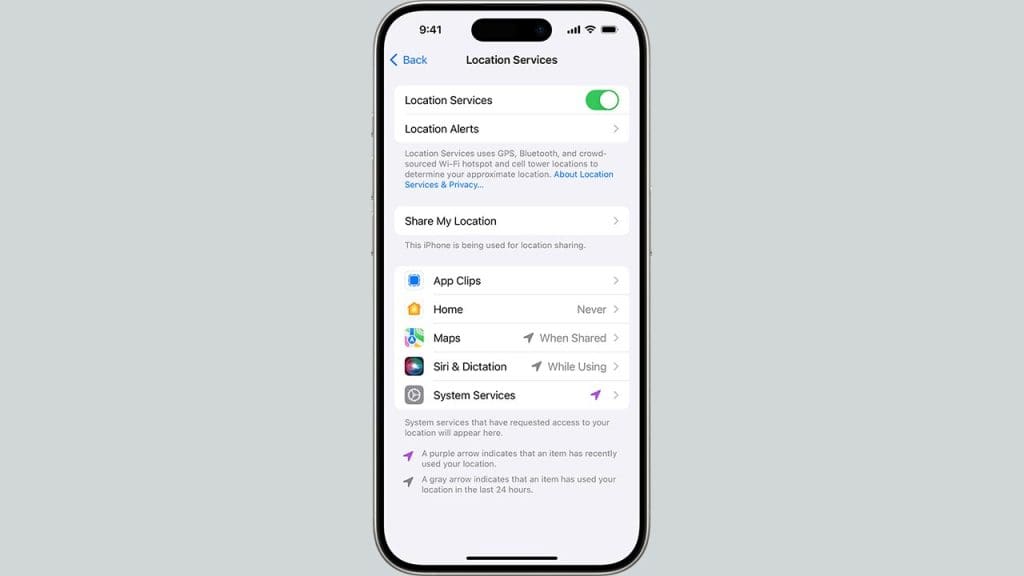
Location Services are crucial for apps that require geographical data, but not every app needs to know your whereabouts. By customizing Location Services for specific apps, you can enhance privacy and save battery life. Head to Settings > Privacy & Security > Location Services, and toggle off access for apps that don’t require location data.
This adjustment ensures that only essential apps can access your location, keeping your movements more private and reducing unnecessary battery drain.
2: Background App Refresh
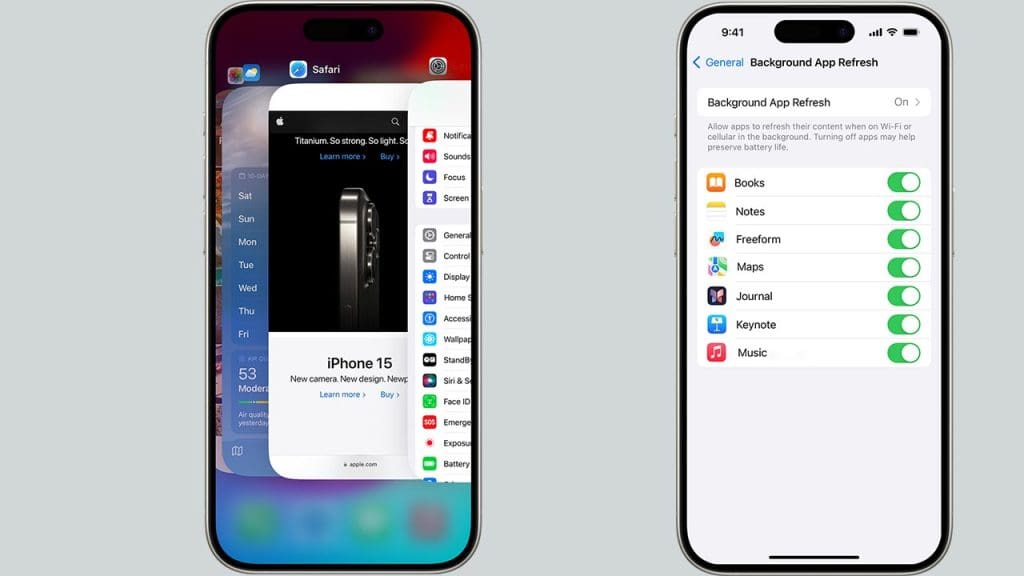
Background App Refresh allows apps to update their content in the background, consuming data and battery life. To maintain your device’s efficiency, consider disabling this feature for apps that don’t need constant updates. Navigate to Settings > General > Background App Refresh, and selectively choose which apps can refresh.
This way, you preserve battery life and data usage while still allowing critical apps to function seamlessly.
3: Significant Locations
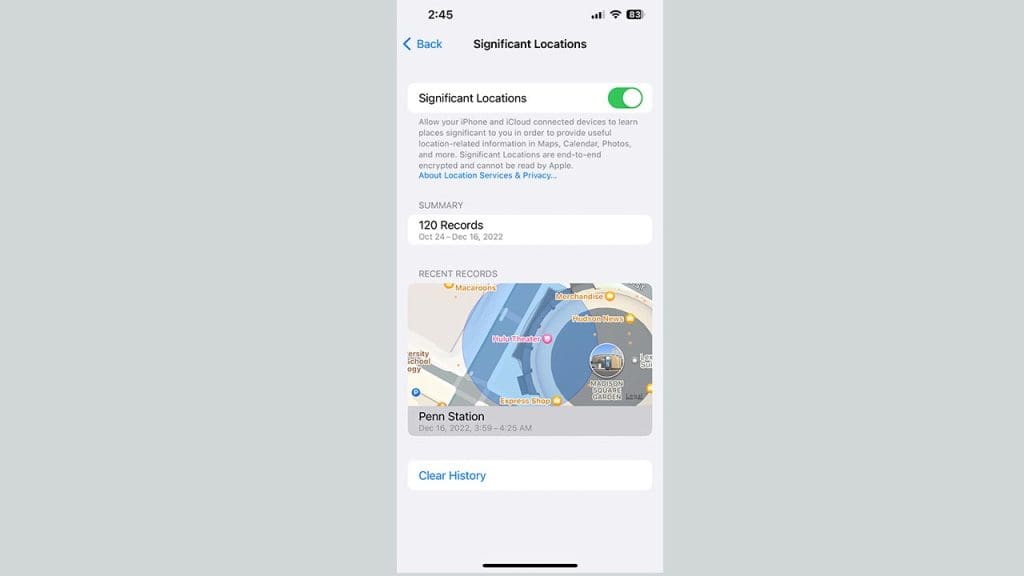
Your iPhone keeps track of places you visit frequently, known as Significant Locations, to provide personalized services such as predictive traffic updates. However, this feature might not be necessary for everyone and could pose privacy concerns. To disable it, go to Settings > Privacy & Security > Location Services > System Services > Significant Locations.
By turning it off, you maintain greater control over your location data and enhance your privacy. Discover more hidden features by exploring this Reddit thread.
4: Analytics & Improvements
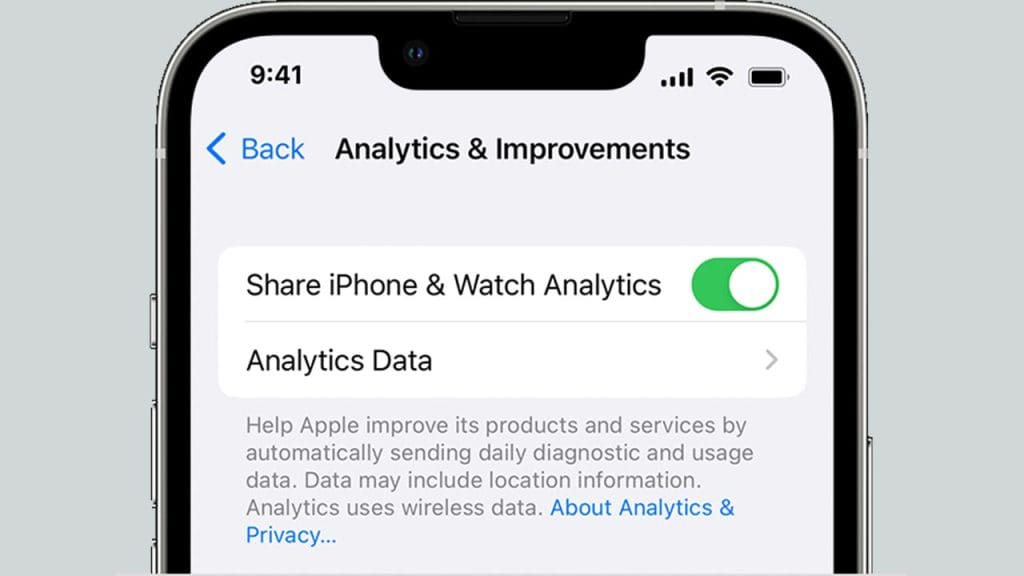
iOS offers an option to share diagnostic and usage data with Apple to help them improve their products. While this data is anonymized, you might prefer to keep it private. To disable this feature, visit Settings > Privacy & Security > Analytics & Improvements, and turn off Share iPhone Analytics. This ensures your usage patterns remain confidential, giving you peace of mind. For a deeper dive into iOS privacy settings, check out this research study.
5: In-App Ratings & Reviews
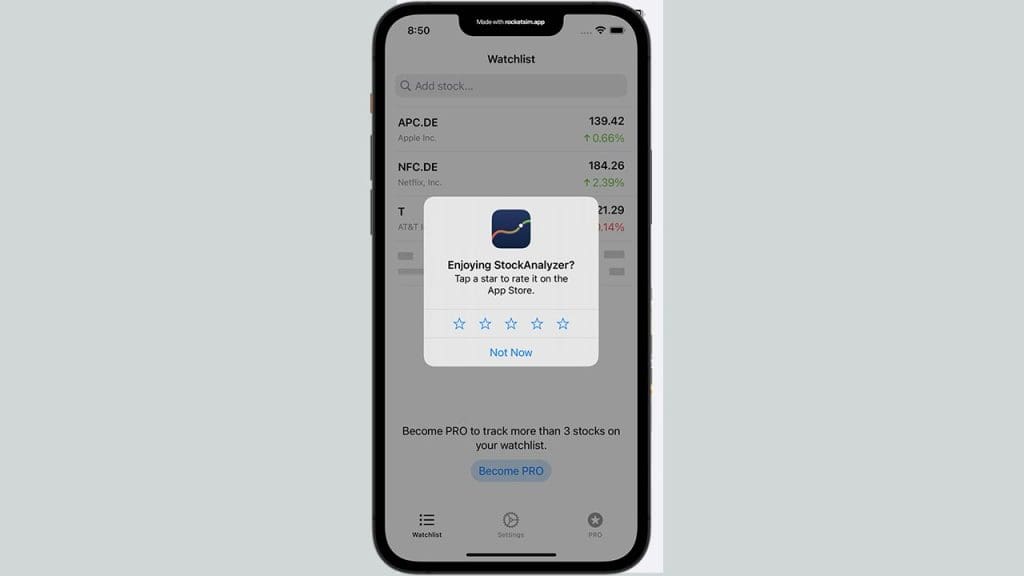
In-app prompts for ratings and reviews can be distracting and interrupt your user experience. To minimize these interruptions, you can disable the feature by going to Settings > App Store and toggling off In-App Ratings & Reviews. This setting helps keep your app usage smooth and uninterrupted, allowing you to focus on what matters most. For a list of other features you might want to explore, visit this CNET article.
