In today’s digital age, privacy and security are of utmost importance. While iPhones come with a suite of features designed to enhance user experience, some of these may inadvertently compromise your safety. Here are five iPhone features you should consider turning off.
Location Services
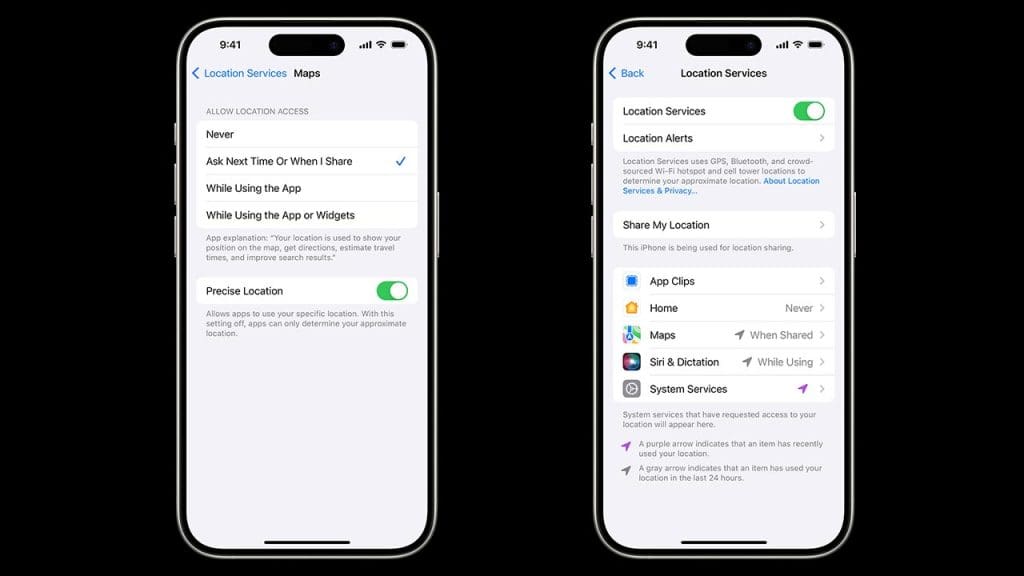
Location Services is a convenient feature that allows apps to access your location to provide a more personalized experience. However, keeping it on can pose a serious privacy risk. Malicious apps or hackers can use this feature to track your movements without your consent. To protect your privacy, navigate to Settings > Privacy > Location Services and toggle it off for apps that don’t need it.
Frequent Locations
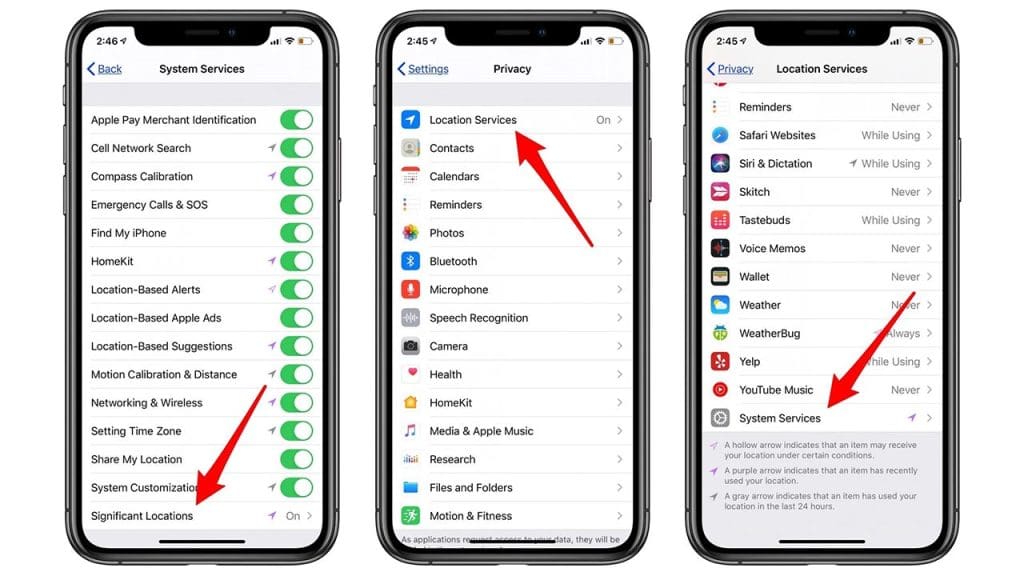
Your iPhone keeps track of the places you visit most often, known as Frequent Locations, to provide location-based suggestions. While this might seem helpful, it can also be a potential security threat. Anyone with access to your phone can see your routine, which could compromise your safety. To disable this, go to Settings > Privacy > Location Services > System Services > Significant Locations, and turn it off.
Ad Tracking
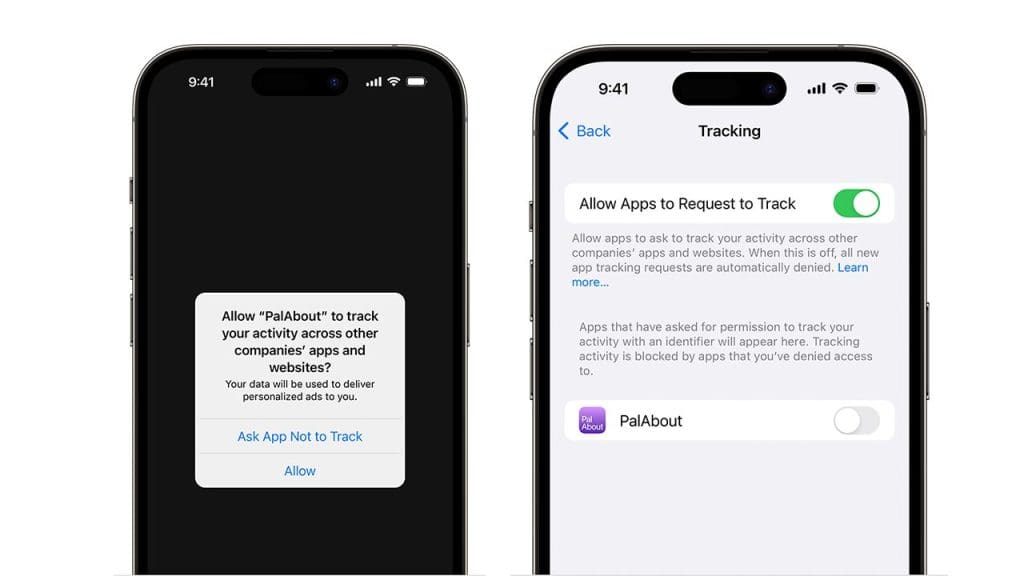
Ad Tracking allows advertisers to serve you targeted ads based on your usage patterns, but it also means that your data is being shared. To maintain your privacy, consider turning off Ad Tracking. Head to Settings > Privacy > Advertising and enable the “Limit Ad Tracking” option. This won’t eliminate ads but will prevent advertisers from collecting as much data on you.
Share My Location
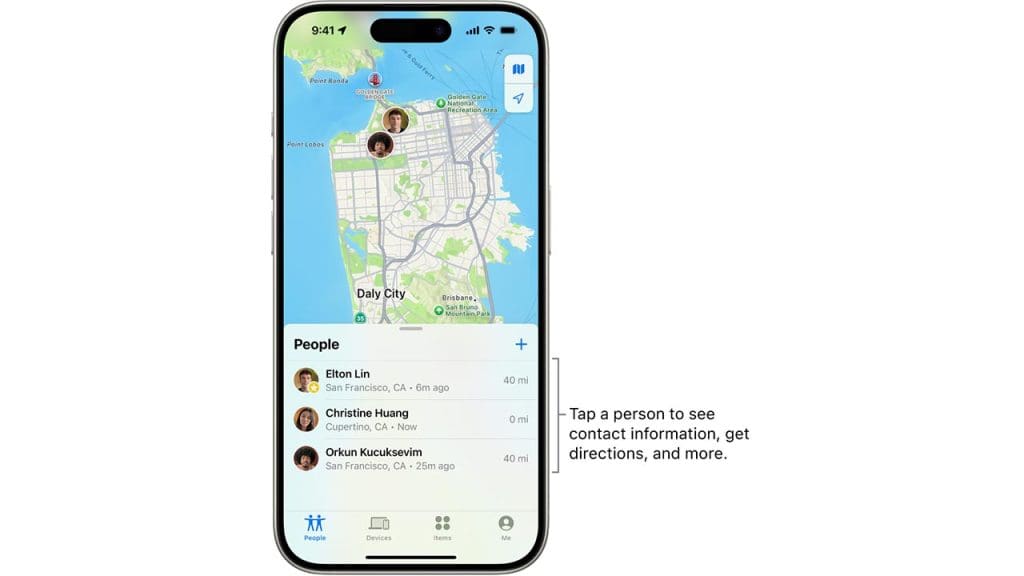
While sharing your location with friends and family can be useful, having it enabled all the time might not be necessary. The feature can inadvertently reveal your location to unintended parties. To disable this feature, go to Settings > Privacy > Location Services > Share My Location, and toggle it off when you don’t need it.
Bluetooth Connections
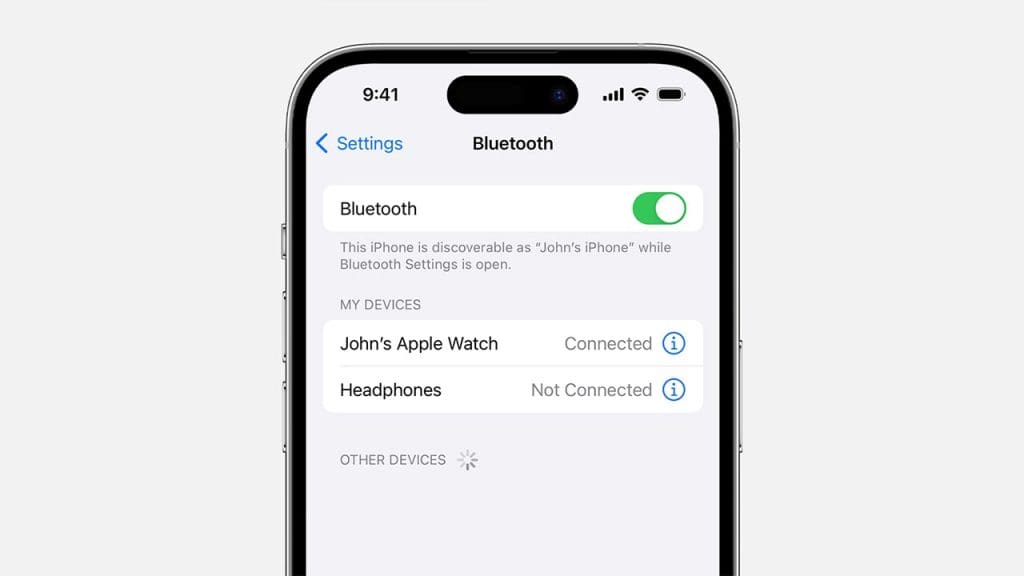
Bluetooth is a handy feature for connecting to wireless devices, but leaving it on all the time might expose your phone to security risks. Hackers can exploit open Bluetooth connections to gain unauthorized access to your device. To protect yourself, turn off Bluetooth when not in use by going to Settings > Bluetooth and toggling the switch.
