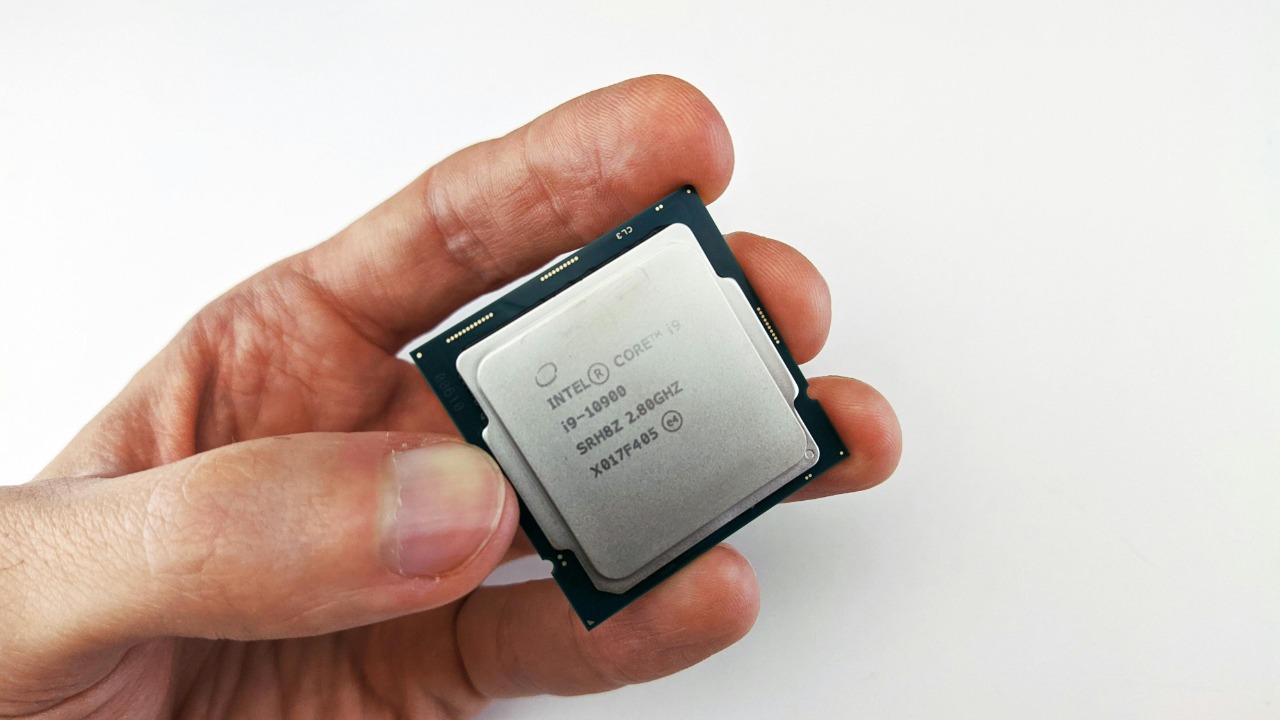

PC buyers are heading into a generational break point where operating systems and processors are finally moving in lockstep. With support for Windows 10 now over and hardware makers pivoting to AI-centric designs, the next wave of CPUs is being tuned for features that older versions of Windows simply cannot exploit. The result is a quiet but decisive shift: if you are not on Windows 10 or newer, the hardware world is starting to move on without you.
That shift is not just about performance, it is about security requirements, AI accelerators and new instruction sets that leave Windows 7 and Windows 8.1 stranded, and even make Windows 10 feel like a transitional stop. I see a future where anything before Windows 10 is effectively sidelined on modern silicon, and where clinging to legacy systems means giving up both safety and speed.
Windows 10’s end of support closes the door behind older PCs
The first domino is official support. Microsoft has confirmed that Windows 10 has reached the end of support, which means no more security fixes, feature updates or technical assistance for mainstream users. A separate notice on Support for Windows spells out that Windows 7 and Windows 8.1 are already in the same boat, leaving Windows 11 as the only fully supported consumer platform. That policy line is important, because it signals to chipmakers and OEMs that they can safely optimize for newer systems without worrying about breakage on decade old releases.
On the hardware side, that policy is already reshaping the used and corporate PC markets. One analysis of the secondary market notes that 12th Gen Intel Core processors, known as Alder Lake, and Later chips are now prized because they are well suited for modern computing and current Windows releases. That same assessment describes a significant shift in value away from older systems that cannot move to Windows 11 cleanly, which effectively devalues machines that were built with Windows 7 or Windows 8.1 in mind.
Hybrid and AI CPUs are tuned for Windows 11 and beyond
Modern processors are being designed around operating systems that understand hybrid cores and AI engines, and that increasingly means Windows 11 or its successor. Intel’s 12th Gen hybrid architecture, which mixes performance and efficiency cores, shows its full potential only when the scheduler is optimized for it, something reviewers have highlighted by comparing Windows 10 and Windows 11 on an Intel 12th Gen CPU in both games and applications. In those tests, Windows 11 generally handles thread distribution more intelligently, which means that running a next generation Intel CPU on Windows 10 already leaves performance on the table, and running it on anything older is simply not a supported scenario.
The AI pivot is even more explicit. New mobile platforms like the AMD Ryzen AI 400 series, highlighted as part of a broader Jan discussion of AMD’s latest launches, are built around dedicated neural processing units. At the same time, PC makers are rolling out next gen AI PCs where Both series are powered by Intel Core Ultra 7 processor (Series 1) with Intel vPro platform and an NPU, which is pitched as the key to breezing through everyday workloads. These designs assume an operating system that can schedule work to an NPU and expose AI features in the shell, something that Windows 7 and Windows 8.1 simply never anticipated.
Windows 11 and 12 raise the hardware bar again
Even within the supported Windows family, the hardware bar is rising in ways that sideline older CPUs. Early adopters were surprised when the first version of Windows 11 left out many serviceable chips, and more recent reporting shows that When the latest 24H2 release arrived, Intel 8th, 9th and 10th Gen processors were absent from Microsoft’s official CPU support list. A separate analysis of that same move notes that With the release of Windows 11 24H2, Microsoft has dropped support for older Intel CPUs, including Intel’s 8th, 9th and 10th Gen parts. That is a clear signal that even relatively recent silicon is being left behind as the OS roadmap marches forward.
Looking ahead, early guidance on the Expected Hardware Requirements 12 suggests that the baseline will be a Processor that is a 64-bit Intel 8th Gen or AMD Ryzen 2000 series and newer. The same guidance notes that users who want AI features may need something closer to Ryzen 5000+, which again pushes the practical floor higher. Community discussions echo that trajectory, with one Tom’s Hardware forum thread arguing that Windows 12 will almost certainly require an NPU, and pointing to Windows 11 with Copilot as an early example of how AI assistants are becoming core to the experience.
Security flaws and instruction sets are quietly killing pre‑Windows 10
Beyond official support lists, there is a more technical reason older operating systems are being left behind: they lack the instruction sets and mitigations that modern CPUs and software expect. One Windows community discussion notes that Windows will now require the POPCNT CPU instruction, which is part of SSE4 and was added to Intel CPU in 2008 and AMD CPU in 2007, because it enables some useful optimizations. That requirement effectively cuts off very old processors, and it illustrates how each new OS release bakes in assumptions about what the CPU can do. On top of that, Windows 11’s security model leans heavily on TPM 2.0, and while some users bypass it, one consultant warns that While you can bypass the TPM requirement, Microsoft advises against doing so when systems are assessed for Windows 11.
Security flaws in older CPU designs are another pressure point. In a Facebook discussion about buying a 7th Gen chip, one commenter notes that Their performance is still fine, but those CPUs had some real security flaws in their architecture and Windows 11 tries really hard to mitigate them, which can make them feel slower and sometimes so much better on Linux. That kind of trade off is even harsher for pre Windows 10 systems that never received mitigations for speculative execution bugs, leaving them exposed if they stay online. It is no surprise that some users on Reddit argue that Well, Microsoft is essentially pulling a Windows 7 style playbook by offering extended security updates for a subset of customers, while nudging everyone else toward newer platforms.
What this means for buyers, businesses and holdouts
The practical impact of all this is already visible in sales forecasts and upgrade cycles. One Wall Street note on HP Inc says the firm now expects HP Inc’s PC volumes to grow 5.1% in fiscal 2025 and 6.9% in fiscal 2026, supported by a global upgrade cycle as businesses replace machines that cannot run Windows 11, suggesting a replacement boost. A separate report on a major distributor notes that its hardware business benefited from the rush to upgrade to Windows 11 compatible workstations before Windows 10 support ended, and that Microso expects momentum to continue into 2026 as AI capable PCs gain enterprise traction. Those numbers show that the industry is already betting on a wave of replacements driven by OS requirements, not just worn out hardware.
Individual users, however, are still wrestling with what to do with older but functional machines. One Reddit thread titled “I do not want to throw away my computer in 2025” lays out four options, including simply doing nothing and accepting that Nov Windows 10 will continue to run, even if unsupported. Another discussion asks what users with older hardware should do at the end of support, with one commenter, Fall Fox, warning that bypassing Windows 11 restrictions can mess with updates and may need to be redone repeatedly. Some users take comfort from posts noting that Don’t worry, Windows 11 24H2 still supports Intel 8th, 9th and 10th Gen chips, while others are already eyeing AMD’s next wave, with one creator arguing that Nov AMD’s next gen Ryzen CPUs will be an insane upgrade for gaming.
More from Morning Overview