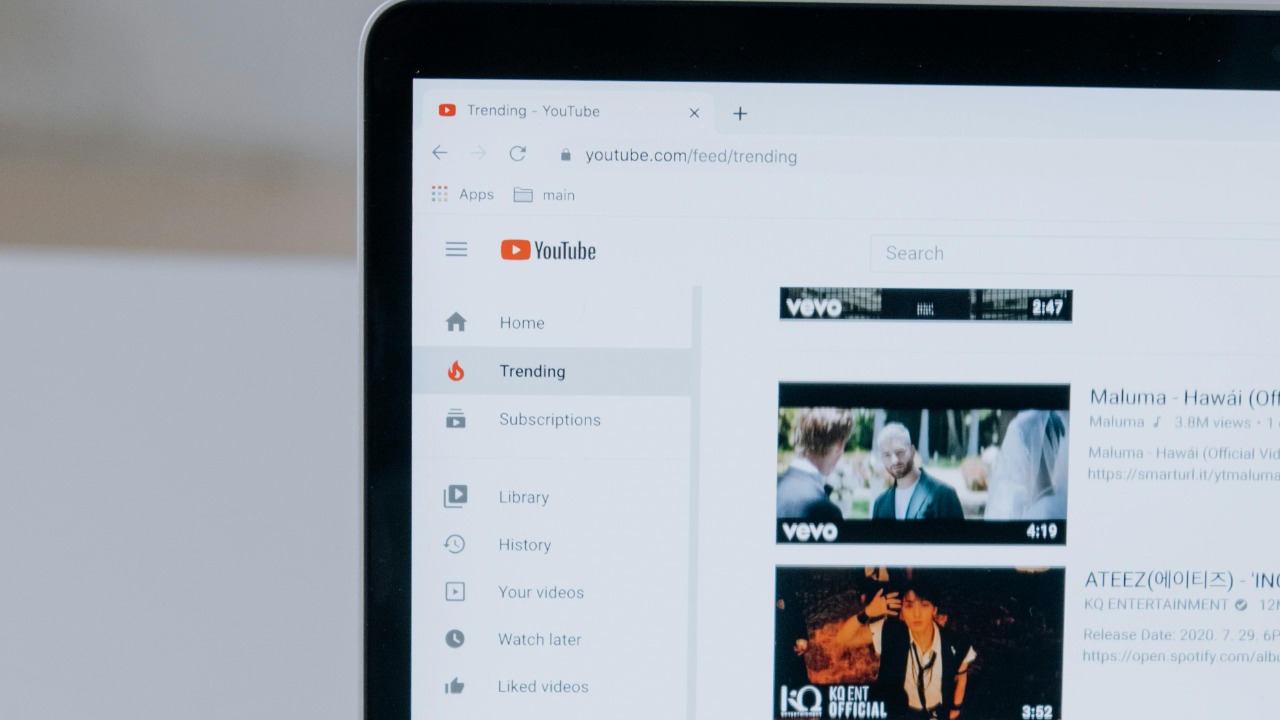

YouTube is finally giving viewers a native way to strip Shorts out of search, a small interface tweak that could have an outsized impact on how people discover video on the platform. Instead of relying on hacks or third party tools, users will be able to tell the service they want traditional, longer clips when they type a query. It is a rare moment where the company’s product direction bends toward those who see the TikTok-style feed as clutter rather than progress.
New filters put Shorts in their own lane
The core change is simple: YouTube is adding search filters that let people exclude Shorts from results so they can focus on standard videos. According to early descriptions of the feature, the updated search interface introduces more granular options that separate short vertical clips from longer content, effectively letting viewers decide whether they want to see Shorts, regular uploads, or a mix of both in response to a query from the main YouTube search bar. For users who treat the site as a video library rather than a social feed, that separation is long overdue.
Reports of the rollout indicate that the new controls appear alongside other refinements to search, including additional filters that surface content by format and relevance. One breakdown notes that the advanced search update lets people hide Shorts entirely, a change that has already started appearing in some users’ interfaces and is framed as part of a broader effort to improve discovery quality rather than a retreat from short form video itself, with the new options described as YouTube Update: Advanced search. In practice, that means Shorts are not going away, but they are being pushed into a clearer lane where viewers can opt in instead of having them baked into every search.
How the new search controls actually work
From what I can piece together, the new filters live in the same menu that already lets people sort by upload date, duration, and other criteria. When a user searches for a topic, they can open the filter panel and choose to show or hide Shorts, much like they can already choose to see only videos longer than a certain length. One discussion of the change describes YouTube adding a specific control to filter Shorts out of search results, alongside a new “Popularity” option that reshuffles how results are ranked, with users noting that YouTube will now let you filter Shorts out. That suggests the company is not only giving people more control over format, but also over the signals that determine which videos rise to the top.
Crucially, this is not a buried developer setting or a browser specific tweak, it is a mainstream control that should be reachable for anyone who knows where the Filters button lives. Earlier advice for avoiding Shorts in search leaned heavily on duration filters, with one explanation pointing out that setting the length to more than four minutes in the Filters menu effectively hides Shorts from results, a workaround described in detail by users who recommended going to Filters and choosing longer than 4 minutes. The new feature formalizes that behavior, turning a clever hack into a first class option that should be easier to discover and less likely to break if YouTube tweaks its definitions of what counts as a Short.
Years of hacks and extensions paved the way
The fact that YouTube is only now adding a Shorts specific filter is striking because viewers have been trying to claw back control for years. On the technical side, some people turned to browser extensions that rewrite parts of the interface, including one tool in the Chrome Web Store that promises to strip Shorts elements from the desktop experience. The extension’s listing explains that it hides the short form shelf and related UI while leaving the rest of the site intact, a sign that there has been enough demand to justify custom code just to avoid a single format.
Others leaned on more manual tricks. On one technical Q&A thread, a user asked how to remove Shorts from search and was told to run the search first, then adjust the filters to exclude short clips, a method summarized in a response that begins with the word “What” and walks through how to Execute my search and then use Filters. Video creators stepped in too, publishing step by step guides on how to avoid Shorts in search results, including one tutorial titled “How To Remove YouTube Shorts From YouTube Search” that walks viewers through the process in a clip uploaded in Mar and framed as a Mar guide to removing Shorts from search. All of these workarounds shared the same message: if you want a Shorts free YouTube, you are largely on your own.
Mobile frustrations and the limits of past fixes
The pain was especially acute on phones, where the Shorts feed is more prominent and browser extensions are not an option. Some users discovered partial switches that appeared to turn off Shorts, only to find that the relief was temporary. One widely shared account described how you CAN disable Shorts on desktop, but there is a catch, because even if you hide them in a computer browser, the vertical feed tends to reappear on your phone, a pattern summed up in a post titled You CAN turn off YouTube Shorts! But there’s a catch. That mismatch between platforms made it hard for viewers to maintain a consistent experience, especially for parents trying to keep kids away from endless swipeable clips.
As a result, entire guides sprung up around disabling Shorts on mobile, often combining multiple tactics. One detailed walkthrough of ways to disable Shorts on phones and tablets lays out four different approaches, including using alternative clients and parental control tools, and notes that for mobile phone users specifically, you can easily install an app to help manage what appears in the feed, advice that is packaged as Ways to Disable Shorts on Mobile. Another creator offered yet another workaround for removal of Shorts, playables, and other design decisions from Google, sharing a clip that begins with the word “Yet” and promises a new method, telling viewers “Here is link” as they walk through the steps in a video titled Yet another workaround for removal of shorts. The sheer volume of these guides underscores how much friction Shorts introduced for people who never asked for a TikTok clone in their video app.
What this shift signals about YouTube’s priorities
Seen in that context, the new Shorts filter is more than a minor UI tweak, it is a concession that user control matters even when it cuts against a flagship format. YouTube has spent years pushing Shorts into nearly every corner of the product, from the home feed to channel pages, in an effort to compete with TikTok and Instagram Reels. Yet the persistence of tools like the Remove YouTube Shorts extension, whose listing explicitly pitches itself as a way to hide Shorts on desktop and phone without affecting app functionality and is described in the Chrome Web Store as Remove YouTube Shorts, shows that a sizable audience still prefers the classic experience. By baking a Shorts toggle into search, the company is acknowledging that preference instead of forcing everyone into the same feed.
I see this as part of a broader recalibration of how platforms balance growth features with user fatigue. Short form video is not going away, and YouTube will continue to promote Shorts aggressively, but giving viewers the option to wall it off in search is a low cost way to reduce frustration without abandoning the format. It also aligns with a pattern of power users shaping product decisions from the outside in, whether through browser extensions, Q&A threads that start with “How do you remove YouTube ‘Shorts’ from youtube search” and explain what to do after you execute a query, or detailed tutorials that show people how to reclaim their feeds. The new filter does not solve every complaint about Shorts, but it finally moves the burden from the user’s toolbox to the platform’s own settings, which is where this kind of control should have lived all along.
More from Morning Overview