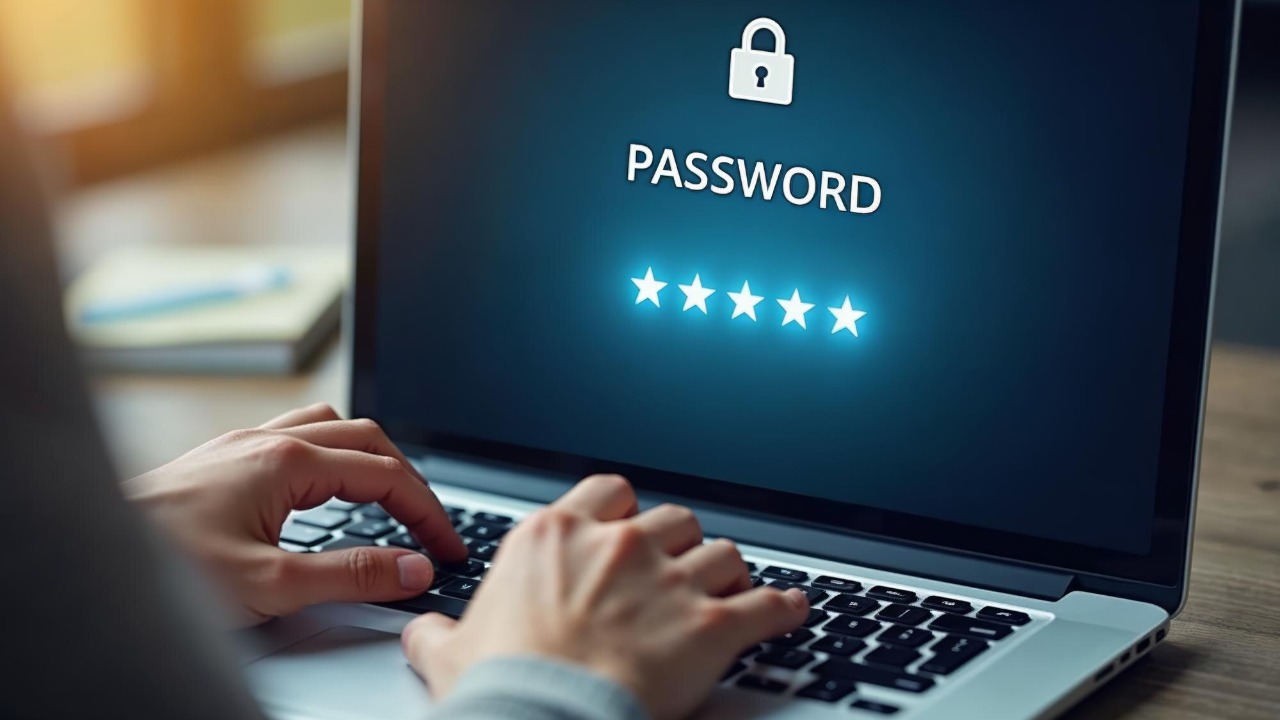

Most people juggle dozens of logins, yet cling to a tiny handful of passwords that get recycled across banking, shopping, social media, and work. That habit is not just risky, it is colliding with a moment when the tech industry is finally offering a cleaner alternative. If you are one of the millions reusing a single password on 30 sites, the shift to passkeys is no longer a niche experiment, it is the next basic step in staying safe online.
The password crisis you are quietly living in
Weak and reused passwords are not an abstract problem, they are the main way attackers walk into personal and corporate accounts. Today, 80 percent of all breaches come back to stolen credentials such as weak, compromised, or reused passwords, which means the odds are high that the next big leak you read about will start with someone’s favorite pet name or football team. When one of those reused secrets is exposed in a breach, attackers can plug it into banking, email, and cloud services in seconds, turning a single mistake into a cascade of account takeovers.
The traditional advice has been to create long, unique passwords and rotate them regularly, but in practice that guidance collides with human memory and daily life. Most professionals manage various accounts, from banking to social media, shopping, and everything in between, and the result is that most people quietly fall back on a small set of recycled logins. Even if you lean on a password manager, you are still depending on a shared secret that can be phished, guessed, or stolen, which is why security teams are increasingly blunt that the age of passwords is ending and that an entirely new authentication technology, passkeys, is arriving to replace them.
What passkeys actually are, in plain language
Passkeys are not just “better passwords,” they are a different model of logging in that removes the shared secret from the equation. Instead of typing a word or phrase into a website, you approve a sign in with something you have, such as your phone or laptop, and something you are, such as a fingerprint or face scan, which together unlock a cryptographic key pair that proves you are you. In practice, that means tapping a prompt on your iPhone, using Windows Hello on a Surface, or confirming with a fingerprint on an Android phone, rather than trying to remember which variation of your usual password you used this time.
Under the hood, passkeys are digital credentials that live on your devices and are tied to specific websites, so they cannot be reused or replayed on lookalike domains. When you register, the device creates a private key that never leaves your hardware and a public key that the site stores, and future logins are just a cryptographic handshake between those two pieces. As one overview of passkeys explains, this design delivers improved security because passkeys are phishing resistant and avoid autofilling credentials on lookalike sites, which is a sharp break from the way traditional passwords and even one time codes can be tricked by a convincing fake login page.
Why the industry is racing to kill passwords
The move away from passwords is not a fringe campaign by security purists, it is a coordinated push by the biggest platforms on the internet. Major identity providers and device makers are building passkey support directly into their operating systems and browsers, from Windows and Xbox accounts managed through Microsoft to Android and iOS devices that now prompt you to save passkeys instead of passwords. The goal is to make the safer option the default, so that you do not have to be a security expert to benefit from stronger authentication.
That shift is accelerating fast enough that some experts now describe passwords as being on the way out in the next couple of years, with a password less ubiquity framed as a realistic target rather than a distant dream. One analysis notes that although passwords have been around for centuries, the hope is that their reign over our online world is ending, and that platforms are actively pushing users to adopt passkeys as the primary way to sign in. When the companies that control your phone, browser, and cloud accounts are all aligned on the same replacement, the writing on the wall is hard to ignore.
How passkeys beat passwords on security
The core security advantage of passkeys is that there is nothing useful for an attacker to steal or trick you into typing. Traditional passwords are vulnerable in ways that might not be obvious, from database leaks to credential stuffing and phishing, because the same secret is shared between you and the site and can be replayed anywhere. In contrast, passkeys rely on public key cryptography, so even if a service is compromised, the attacker only gets a public key that cannot be used to impersonate you elsewhere, which sharply reduces the blast radius of any single breach.
That design also changes the phishing game. With passwords, a convincing fake login page can harvest your credentials and reuse them instantly, but passkeys are bound to the real domain name and will not complete the cryptographic handshake on a fake login page design. As one security guide puts it, they (Passkeys) are a form of user authentication that does not require the user to remember yet another password, and they are built so that a mismatched domain name or fake login page design simply fails to authenticate. When you combine that with device based biometrics, you get a system that is not only harder to steal at scale but also much harder to trick in the first place.
Why passkeys are easier to live with than passwords
Security tools only work if people actually use them, and this is where passkeys quietly solve the daily friction that has made strong passwords such a hard sell. Instead of juggling dozens of complex strings, you approve logins with the same gestures you already use to unlock your phone or laptop, such as a fingerprint, face scan, or device PIN. Passkeys are digital credentials that sit behind that familiar experience, so from your perspective you are just tapping “Yes, that is me” rather than trying to remember which symbol you used this time.
That simplicity is not just a nice to have, it is a major reason why passkeys are gaining traction among people who previously ignored password hygiene advice. One explainer notes that passkeys offer numerous benefits, including eliminating the need to remember or type passwords and reducing the temptation to reuse the same secret across accounts. Another guide on the benefits of using passkeys stresses that the largest benefit of using passkeys is that your biometric, such as a fingerprint, is the private key, which means your body becomes the unlock mechanism for a cryptographic credential that you never have to see or manage directly.
Big platforms already embracing passkeys
Passkeys would be a theoretical fix if they only lived in white papers, but they are already embedded in the tools you use every day. When you go to a site or app that supports passkeys in Chrome on Android, you are asked to create a passkey in Google Password Manager, and your passkeys can then be used across devices where you are signed in with the same Google Account. Apple has wired similar support into iCloud Keychain, so Safari on a MacBook and an iPhone can both offer to save and sync passkeys behind the scenes, turning your existing ecosystem into a passkey wallet.
Third party password managers are racing to keep pace, which is crucial for people who live across multiple platforms. Earlier this summer, one major provider announced its commitment to providing users a safer, more convenient way to sign in with passkeys and added support directly into its browser extension, with a release note that highlights Passkeys and invites users to download 1Password in the browser to start using them. Another update from the same ecosystem offers a Tip to learn where you can start using passkeys by browsing an online Passkeys directory or opening Watchtower in 1Password to see which of your saved logins have passkey authentication available, which turns the abstract idea of “support” into a concrete checklist of sites you can upgrade today.
Where you can already use passkeys today
Support for passkeys is no longer limited to a handful of experimental services, it now spans some of the most recognizable brands on the internet. A quick start list for Password Boss notes that you can register and use passkeys with Password Boss on well known platforms such as Apple (apple.com, icloud.com), Google, Microsoft, and Discourse, which means your Apple ID, Gmail, and even community forums can all be upgraded from passwords to passkeys. That same list underscores that You can register and use passkeys with Password Boss on these platforms without changing your underlying accounts, you are simply adding a stronger way to prove who you are.
Elsewhere, a running tally of companies and apps that support passkeys highlights how broad the adoption has become, with Tech companies and social media that support passkeys including Adobe, Apple, Cloudflare, Discord, and others that ordinary users interact with every day. When Adobe, Apple, Cloudflare, and Discord are all on the same page about a new login method, it signals that this is not a passing fad but a new baseline. For anyone still clinging to a single password reused across dozens of sites, the fact that so many mainstream platforms now offer a better option removes the last practical excuse for staying put.
How to start switching your own accounts
Moving from passwords to passkeys sounds like a heavy lift, but in practice the first steps are straightforward if you tackle them one account at a time. One practical guide on how to switch from passwords to passkeys walks through the process for a Google account, explaining that you open your account settings, choose Security, and then add a passkey so that future logins can be approved with your device instead of a typed password. The same pattern applies elsewhere: you visit the security or login section of a site, look for a passkey or passwordless option, and follow the prompts to register your phone or computer as an authenticator.
Another beginner’s guide breaks it down even further, advising you to navigate to the website where you want to set up a passkey, sign in as usual, and then look for an option to add a passkey in the account or security settings. That guide is explicit that you should not try to memorize the passkey or write it down, because the whole point is that the cryptographic material stays hidden while your devices and browsers handle the details. If you already use a password manager, you can often let it store and sync your passkeys alongside your existing logins, which makes the transition feel less like a wholesale migration and more like a gradual upgrade of your most important accounts.
Using passkeys through password managers
For people who already rely on a password manager, passkeys are less a replacement than an evolution of a tool they know. Millions of people worldwide opt for password management solutions like 1Password to help them create, remember, and autofill strong passwords, and those same tools are now adding the ability to log in to websites and apps with passkeys using 1Password so that the experience of clicking a saved login remains familiar. From my perspective, that continuity matters, because it lets you adopt a new security model without relearning your entire workflow.
On the browser side, the integration is getting smoother as well. A detailed release note for 1Password in the browser highlights Passkeys as a headline feature and encourages users to download 1Password in the browser to start using them, which means you can store and use passkeys alongside traditional passwords in the same extension. Combined with the earlier Tip about using Watchtower in 1Password to see which of your saved logins have passkey authentication available, this turns your password manager into a kind of upgrade radar that nudges you toward safer logins whenever a site is ready.
What this shift means for businesses and IT
For organizations, the move to passkeys is not just about user convenience, it is a structural change in how authentication is managed at scale. A complete guide to passkeys and traditional authentication notes that from a security perspective, traditional passwords are vulnerable in ways that might not be obvious, and that passkeys offer scalability benefits because they simplify authentication flows and reduce the need for complex password policies. When you no longer have to enforce rotation schedules, composition rules, and lockout thresholds for shared secrets, the entire stack of password related support tickets and policy exceptions starts to shrink.
From an implementation standpoint, passkeys also align with the broader push toward zero trust architectures and phishing resistant multi factor authentication. Security teams can integrate passkeys into existing identity providers and single sign on systems, using them as a primary factor that is both stronger and easier for employees to use than a mix of passwords and one time codes. As more vendors, from cloud providers to VPN services, adopt passkey support, IT leaders have a clearer path to phasing out passwords for internal tools as well as customer facing portals, which in turn reduces the organization’s exposure to the 80 percent of breaches that start with compromised credentials.
Why now is the moment to stop reusing that one password
For years, the advice to stop reusing passwords has felt like a scolding without a realistic alternative, which is why so many people quietly stuck with a single favorite login across dozens of sites. Thankfully, passkeys are growing in popularity and have a real chance to replace them completely, eliminating the need to remember or type passwords while also closing off entire classes of attacks. When I look at the combination of industry support, from Google Password Manager and Apple’s iCloud Keychain to third party tools and corporate identity systems, it is clear that the ecosystem is finally ready for ordinary users to make the jump.
The remaining decision is personal rather than technical: whether you keep gambling that your one reused password will not be the weak link that gets exploited next, or whether you take an afternoon to start upgrading your most important accounts to passkeys. Guides from Overview style explainers to hands on walkthroughs all converge on the same message, that modern authentication with Passkeys is both safer and easier than the patchwork of Traditional Authentication methods we have lived with for decades. If you are still typing the same secret into your bank, your email, and your social feeds, the evidence now points in one direction, it is time to let passkeys take over the job your memory was never meant to handle.
More from Morning Overview