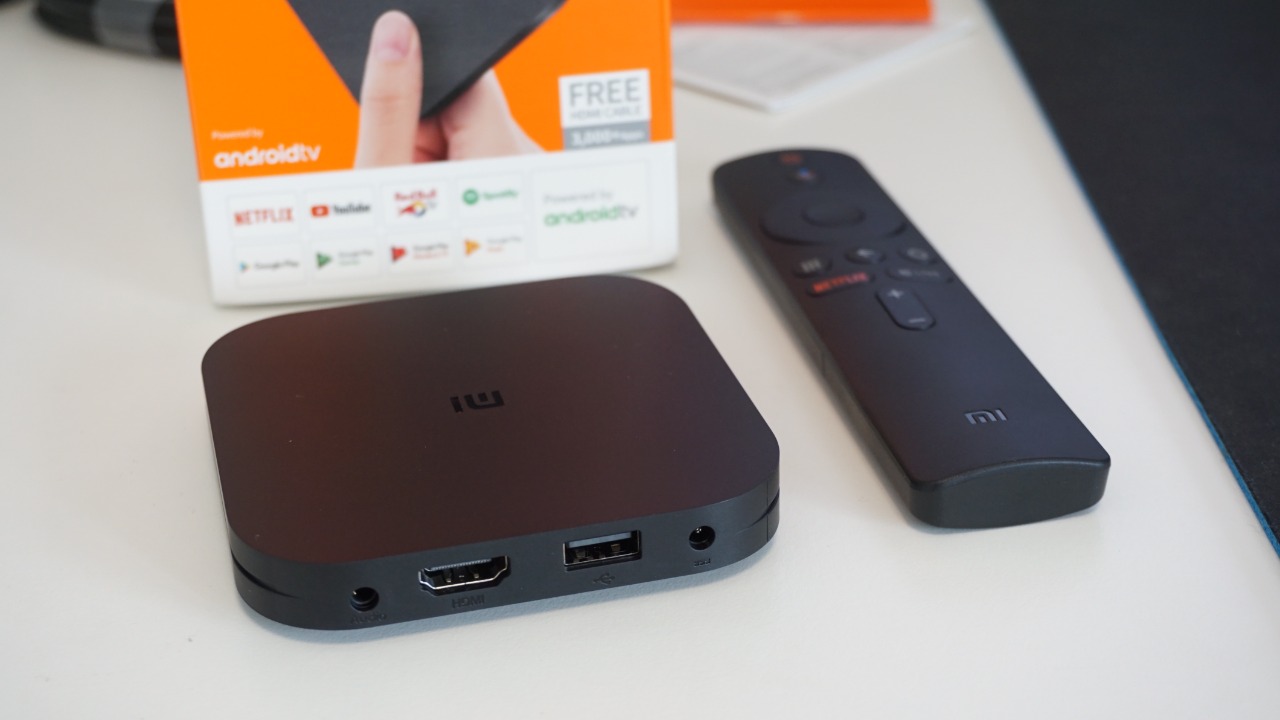

Cheap Android TV boxes have quietly become one of the most dangerous devices on the home network, not because of what you watch on them but because of what they might be doing in the background. Security researchers now link entire families of these gadgets to industrial scale botnets that hijack home internet connections for criminal traffic, often before buyers even plug them in. The result is that a living room streaming stick can double as a covert node in a global cybercrime operation without the owner ever seeing a warning or pop up.
I see the same pattern repeating across investigations into Kimwolf, BADBOX and other Android malware: low cost hardware, opaque supply chains and almost no security oversight. That combination has turned Android TV boxes into ideal recruits for botnets that relay scams, power distributed denial of service attacks and spy on local networks, all while the television appears to work normally.
From living room gadget to global botnet node
The core problem is that many Android TV boxes are not just streaming devices, they are full Android computers with exposed services and weak defaults that make compromise trivial. In the Jan Executive Summary of The Kimwolf Android campaign, analysts describe how Android based smart TVs, IoT devices and TV boxes are pulled into a single coordinated botnet that targets both enterprise and consumer environments. Once enrolled, these boxes stop being just media players and start acting as remote controlled infrastructure for attackers.
Technically, the infection chain is depressingly straightforward. The Kimwolf Android malware hunts for devices with exposed Android Debug Bridge, weak or default passwords and outdated firmware, then drops a payload that persists across reboots and phones home to a command server. A Jan technical analysis notes that The Kimwolf Android infection chain typically uses encrypted channels and traffic obfuscation so that even attentive home users or small business admins will struggle to spot anything unusual in their router logs.
What botnets actually do with your Android TV box
Once a box is compromised, the most immediate impact is invisible to the person on the couch. Instead of streaming a movie, the device’s processor and bandwidth are quietly rented out to criminals who use it as a relay for fraud, credential stuffing or spam. One Jan investigation explains that What this means in practice is that a home internet connection becomes a proxy that forwards traffic for other people, including ad fraud and other illegal activity, without the owners realizing it.
At scale, that quiet repurposing turns into a serious global threat. Federal investigators have already warned that more than 1 million Android devices have been hijacked by malware that turns home electronics into participants in a worldwide cybercrime network, often before the user even powers them on. Once infected, these devices connect to remote controllers that hide behind your internet connection, as detailed in a Jun alert about over 1 million compromised Android systems.
Kimwolf, BADBOX and the rise of pre‑infected hardware
The Kimwolf campaign shows how far this model has evolved. Security researchers report that the operation known as Kimwolf Botnet Hijacks 1.8 M Million Android TVs, Launches Large Scale Attacks using models marketed as XBOX, SmartTV and MX10, among others. That figure, 1.8 M Million Android devices, is not a typo in the research, it is a measure of how aggressively these bot herders have targeted low cost streaming hardware that ships worldwide through gray market channels.
Kimwolf is not the first time Android TV boxes have been implicated in industrial scale abuse. Earlier, investigators tied a family of cheap media players to a scheme dubbed BADBOX, in which devices were reportedly seeded with malware in the supply chain and then sold through major online marketplaces. Because the infected devices have access to the internet, the hackers can harness the botnet as a proxy service, creating a launch platform for fraud and other crimes, as one Jun analysis of Because the BADBOX operation explains.
Academic researchers later described BADBOX 2.0 as a sprawling ecosystem of compromised devices and shady app stores. They listed Possible indicators of BADBOX activity such as the presence of suspicious marketplaces where apps are downloaded and unexplained background traffic from Android TV boxes, in a Jul Possible case study that underscored how these gadgets are produced with little oversight and then pushed into global retail channels.
How compromised boxes attack your own network
The danger is not limited to what leaves your house. Once inside the network, a hostile Android TV box can turn on its neighbors. Researchers who tore down several suspect models found that the devices performed DNS hijacking and ARP poisoning on local networks, techniques used to redirect traffic and impersonate other machines. In one Jan report, the investigators describe how these boxes used DNS manipulation and ARP spoofing to quietly reroute browsing sessions through malicious servers that could inject ads or steal credentials.
Other research paints a similar picture of local network abuse. A Jan deep dive into Kimwolf notes that there are two major security problems with these unofficial Android TV boxes: a considerable percentage ship with backdoors or preinstalled malware, and once compromised they can scan the local network and execute a single command across multiple devices. That ability to pivot from one infected gadget to everything else on the same Wi‑Fi is why one analysis warned that There is effectively no segmentation inside many homes, only the illusion of it.
Why so many Android TV boxes are risky by design
Part of the problem is how these devices are marketed. Android TV streaming boxes promising unlimited channels for a one time fee are often sold under generic brand names, with firmware that is never updated and app stores that encourage piracy. A Jan consumer warning noted that Why Android TV boxes that advertise free movies and sports are so attractive to criminals is that they are built on forked Android images with minimal security testing and no clear accountability when something goes wrong.
Vendors sometimes insist that they do not preinstall pirated apps and that users are responsible for what they add, but that reassurance rings hollow when researchers find evidence of malware baked into the firmware. One Jan privacy explainer put it bluntly, stating that in simple terms, a botnet is a network of devices infected with malware and controlled as a group, and that some Android TV boxes appeared to be compromised before consumers even bought them. That same analysis warned that buyers were unknowingly bringing home hardware that was already part of a criminal infrastructure, as described in a Jan piece on Jan botnet risks.
How to tell if your box is compromised and what to do next
Spotting an infected Android TV box is not always straightforward, but there are red flags. Unexplained spikes in bandwidth usage, sluggish performance on other devices when the TV box is idle and strange apps or utilities that you never installed can all be signs of trouble. In one Jan teardown, analysts found tools like Tcpdump and other packet capture utilities preloaded on consumer streaming boxes, software that has no legitimate reason to be present on a living room device, as documented in a report that highlighted Android TV units shipping with surveillance grade utilities.
There are practical steps I recommend if you are worried your hardware might be part of a botnet. First, avoid sideloaded apps from unofficial marketplaces and stick to trusted stores, since investigators have repeatedly tied malicious APKs to these campaigns. Second, put the box on a separate Wi‑Fi network or guest VLAN so that even if it is compromised, it cannot easily reach your laptops or phones. Third, invest in reputable security tools for all your platforms, not just PCs. One Jan guide urged readers to Get strong antivirus protection for Windows, Mac, Android and iOS devices, pointing to Get curated options that can spot suspicious traffic patterns from smart TVs and streaming sticks.
Finally, it is worth checking whether your specific model has been named in recent botnet investigations. Some privacy tools now flag known bad hardware and services, and one Jan explainer framed the issue directly with the question Is Your Android TV Box Part of the Kimwolf Botnet, then walked through how to audit devices that are produced with little oversight and may already be participating in DDoS campaigns. That guide on Android TV Box stressed that participation in DDoS Attacks is only one symptom of a deeper problem: a global market flooded with cheap, insecure Android hardware that treats every buyer’s home as just another node in someone else’s botnet.
More from Morning Overview