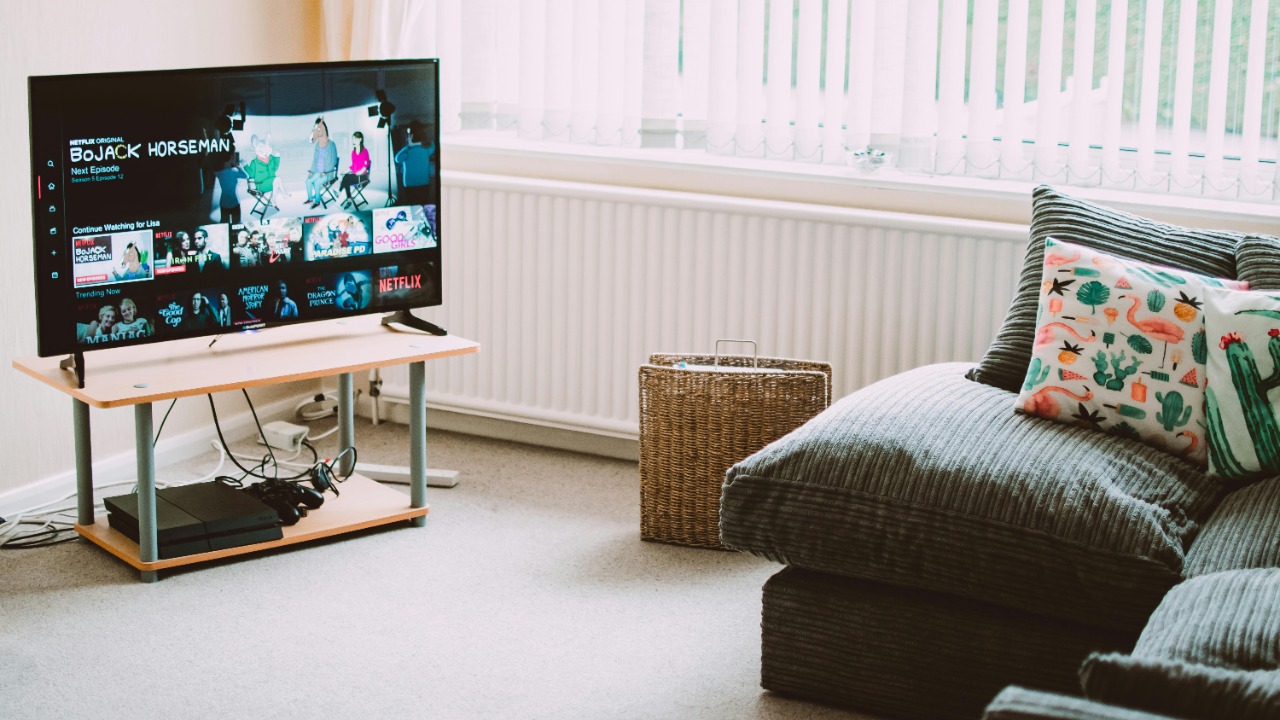

Leaving a television humming away in the background has become a kind of modern wallpaper, a constant glow that fills silence and dark corners of the home. Over months and years, though, that habit quietly reshapes how long your set lasts, how much power it draws, and even the safety risks around it. When a TV is effectively never off, the impact shows up in your electricity bill, in the panel itself, and eventually in the moment it fails earlier than it needed to.
As I look at what nonstop viewing really does, the pattern is clear: televisions are engineered for many hours of use, but not for endless operation without breaks. The longer you keep a screen running, the more quickly you burn through its designed lifespan, accelerate wear on sensitive components, and invite problems like image retention, overheating, and higher running costs. The damage is rarely dramatic at first, which is exactly why it is easy to underestimate.
How long a modern TV is actually built to last
Manufacturers design televisions with a finite number of operating hours in mind, even if they rarely spell it out on the box. Some sets are built to last for around 60,000 hours of total watch time, which sounds generous until you do the math on a screen that stays on almost all day. At eight hours a day, that theoretical ceiling stretches over many years of use, but at twenty‑four hours a day you compress that same wear into a fraction of the time, and the set reaches its built‑in limit far sooner.
That lifespan is not a hard cliff where a TV suddenly dies on the hour, it is more like a design target where the risk of failure and visible degradation starts to climb. Guidance on how many years a TV usually lasts makes it clear that a set can keep going for a decade of frequent use, and that Can a TV Last ten Years? Absolutely, but that expectation assumes something closer to normal viewing patterns than a screen that never gets a break. When you leave a TV on nonstop, you are not breaking a secret timer, you are simply racing through the hours it was designed to handle.
Why nonstop use wears out components faster
Inside the slim frame of a flat‑panel TV, the parts that make the picture possible are also the ones that suffer most when they never cool down. One of the chief concerns for overusing your TV is putting too much strain on the panel and its backlight, and One of the key points is that even newer technologies are still susceptible to wear when they are driven constantly. Capacitors, power supplies and the tiny LEDs that light the screen all age faster when they are kept at operating temperature around the clock instead of cycling between use and rest.
Over time, that continuous load shows up as dimmer images, slower start‑up, or sudden failures that feel premature for a relatively young set. Some owners suspect this is proof of a built‑in use‑by date, but even critics of that idea acknowledge that manufacturers cannot realistically engineer precise timed failures and that other factors, like heat and dust, are a more plausible reason for both tv’s failing. When a television is never off, those stresses never let up, and the weakest component in the chain tends to reveal itself sooner.
Screen burn‑in and image retention on always‑on sets
One of the most visible side effects of leaving a TV on around the clock is the ghostly outline of logos, news tickers or game HUDs that never quite disappear. What many people call burn‑in is the appearance of a “ghost image” on your TV or phone that will not go away, and What happens on an OLED panel is that some pixels age faster than others when they display the same shape for long periods. That uneven wear is why channel logos or scoreboard boxes can linger as faint outlines even when the content changes.
Technical explanations of What Causes Screen Burn point out that screen pixels that stay activated in a static position for long periods are the root of the problem, and that proactive prevention is the best approach. On an always‑on TV, those static elements are often present for hours at a time, every day, which is exactly the pattern that leads to permanent marks. Once true burn‑in sets in, it is not just a cosmetic annoyance, it is a sign that the panel has aged unevenly in a way that cannot be fully undone.
Why OLED sets are especially vulnerable to nonstop viewing
All modern displays can suffer from some form of image retention, but organic light‑emitting diode panels are particularly sensitive to being left on with static content. Reports on people who like to fall asleep with the TV on note that OLED televisions are particularly vulnerable when they run passively over that time period, because each pixel is its own light source and ages according to how hard it is driven. When the same streaming app menu or cable guide sits on screen for hours while no one is really watching, the risk of uneven wear climbs.
Specialist analysis of long‑term panel health goes further and notes that Is OLED Burn In Permanent or Can It Be Reversed is not just a theoretical question, because Tags on that guidance stress that OLED burn‑in is generally considered a permanent form of screen damage that cannot be fully reversed. For anyone who leaves an OLED set running as background noise, that permanence should be a wake‑up call: once the faint outlines appear, no amount of varied content will completely erase them.
Power consumption, efficiency loss and your energy bill
Beyond the panel itself, a television that never rests quietly turns into a small but constant power drain. Guidance on what happens when a TV is left on too long makes it clear that Leaving your TV on 24/7 leads to a lot of wasted electricity, and that this can send your energy bills skyrocketing over time. When you multiply that by multiple sets in a home, or by years of nightly background viewing, the cost of that habit can rival the price of the TV itself.
The hit is not just in hours used, it is also in how the hardware ages. Detailed breakdowns of TV electricity usage note that TV efficiency decreases over time, and that LED Backlight Degradation means that After 5 to 7 years, TVs may consume 10 to 20 percent more power to maintain the same brightness. Power supply inefficiency can add another 5 to 15 percent, so a set that has been left on around the clock for years can quietly draw far more electricity than it did when it was new, even before you factor in rising energy prices.
Heat, ventilation and real safety risks
Every hour a TV is on, it generates heat, and that heat has to go somewhere. Safety guidance explains that TV sets are provided with ventilation openings in the cabinet to allow heat generated during operation to be released, and that blocking those vents can result in a fire hazard. When a television runs nonstop, especially in a tight cabinet or against a wall, the internal temperature can stay elevated for long stretches, which is hard on components and increases the stakes if dust or clutter restricts airflow.
That risk is not theoretical in homes where TVs double as night‑lights or background sound machines. Over time, dust builds up in and around vents, pets brush against warm surfaces, and people stack game consoles or streaming boxes on top of the set, all of which can trap heat. A TV that is always on never gets the cooling period that helps clear that heat load, so the combination of nonstop operation and poor ventilation is exactly the scenario those safety warnings are trying to prevent.
Why consumer TVs are not built for 24/7 signage duty
In offices, shops and waiting rooms, it is common to see ordinary televisions pressed into service as digital signs, looping the same content all day. The problem is that Regular TVs, however, are not designed for continuous, long‑term operation, and guidance on this point is blunt that you Should expect them to run hotter and fail sooner if you use them that way. Commercial signage displays, by contrast, are engineered with heavier‑duty power supplies, cooling and panels that can tolerate static images and long runtimes.
When a living‑room TV is repurposed as a menu board or lobby screen, the same vulnerabilities that show up in homes are amplified. Static logos and layouts increase the risk of burn‑in, while the expectation that the screen will stay on from opening to closing time, every day, pushes it closer to its design limits. The result is often a panel that starts to dim, discolor or fail long before the owner expected, not because of a defect, but because it was never meant to be a 24/7 workhorse.
Sleep habits, smart features and whether to power off at night
For many people, the most common form of nonstop TV use is not a store display, it is the habit of falling asleep with a show playing and leaving it on until morning. Advice aimed at this pattern asks directly, Should You Turn Your Smart TV Off At Night, and frames the issue in terms of both energy waste and unnecessary wear. Ever had one of those lazy nights where you cannot keep your eyes open, but the TV keeps streaming for hours anyway, the set is quietly racking up usage that does nothing for you and everything for your electricity bill.
Some smart TVs try to mitigate this with automatic power‑down features or prompts when there has been no remote activity for a while, but those safeguards are easy to disable. When they are off, the screen can run all night, every night, which is exactly the pattern that accelerates backlight wear, increases the risk of burn‑in on static streaming menus, and keeps the power supply warm around the clock. Over months and years, that habit is one of the clearest examples of how leaving a TV on nonstop slowly shortens its useful life.
The broader context: TV’s place in an always‑on media world
Part of why nonstop TV use feels normal is that television itself has proven remarkably resilient in a media landscape that never sleeps. Academic work on the economics of online television notes that the ratio of online to traditional viewing reached 210
At the same time, coverage of what happens when you leave a TV on all the time points out that Beyond the lifespan of the TV components themselves, there is also energy usage to consider, and that After years of this pattern, the set could start to show it in visible ways. In a world where content is available at any hour, the discipline to actually turn the screen off becomes a small but meaningful way to protect both your hardware and your wallet.
Practical ways to cut back without losing comfort
None of this means you need to treat your television like a fragile museum piece, it simply means using it with a bit more intention. Simple steps like enabling automatic sleep timers, lowering brightness in dark rooms, and avoiding static content for long stretches can dramatically reduce the risks that come with nonstop operation. When guidance warns that Nov is a good moment to think about how much you watch as winter nights draw in, the underlying point is that the longer your TV is on, the more strain you put on the screens of specific TVs, and the more sense it makes to build in breaks.
For households that rely on the TV as background noise, alternatives like smart speakers, radio apps or dedicated night‑light devices can provide the same comfort with far less wear and tear. Remember that guidance on how many years a TV usually lasts stresses that a set can easily reach a decade of frequent use if you look after it, and that habits like turning it off when you leave the room are part of that care. In a media environment where Jul reminders about cost and damage land every summer and where Nov advice returns each winter, the pattern is consistent: a TV that is treated as an always‑on appliance will age like one, while a TV that is switched off when it is not in use will reward you with better performance for longer.
More from MorningOverview