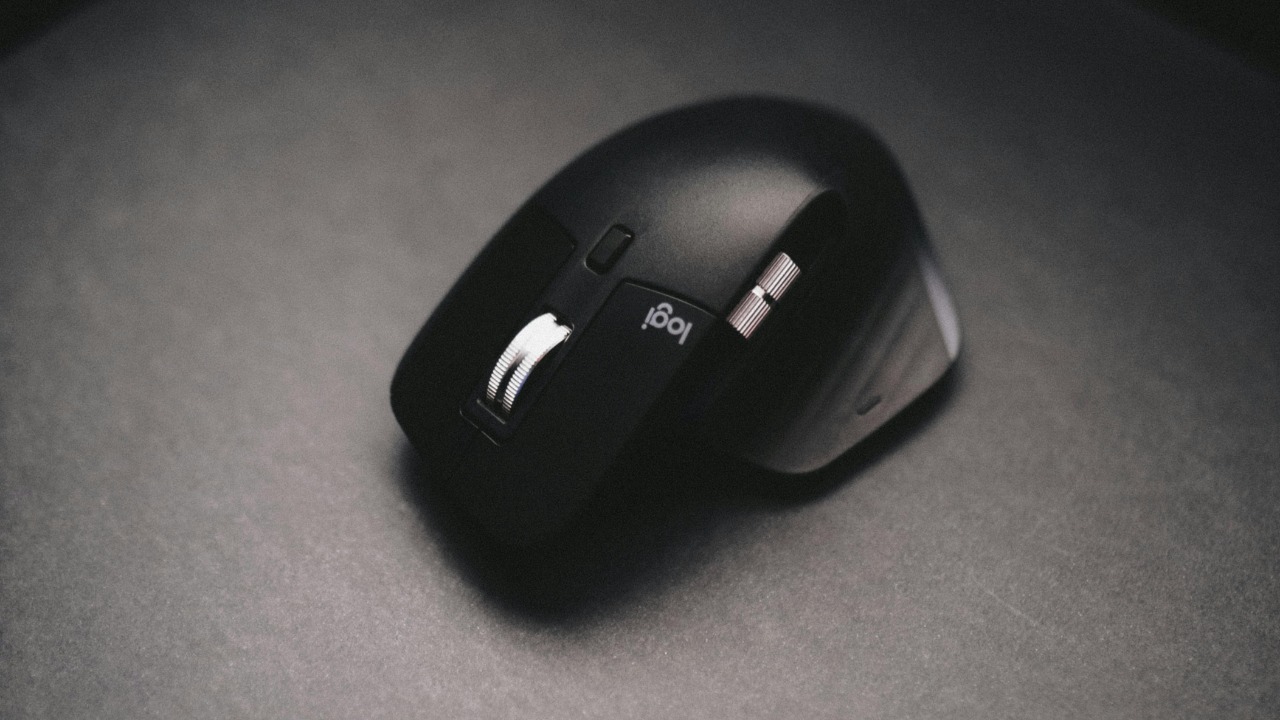

Logitech’s most popular mice and keyboards suddenly stopped working properly on Macs, not because of a hardware flaw or a macOS update, but because the company let a crucial security certificate expire. Instead of a seamless automatic repair, the fix now depends on users manually installing a patched app and, in some cases, digging into macOS privacy settings by hand. The result is a rare but revealing breakdown in the trust that usually lets accessories like these “just work” on Apple hardware.
I want to unpack how a single missed renewal could sideline premium devices, why the workaround is so awkward, and what it says about the fragile software layer that now sits between a Mac and a supposedly simple pointing device. Along the way, there are practical steps Mac owners can take to get their gear running again and a few lessons Logitech, Apple, and users should carry forward.
How a certificate lapse broke “Your Logitech” on Mac
The immediate problem surfaced when people found that “Your Logitech” mouse or keyboard on Mac suddenly lost its custom behavior, even though the hardware itself still powered on and connected. The common thread was that the companion software, including Logi Options and Logi Options+, simply refused to launch on macOS, which meant no button remaps, no gesture controls, and no advanced scrolling. Reports described how the apps that normally let users fine tune their setups, including the software that lets gamers customize their configurations, were blocked at the system level because macOS no longer trusted them, a failure later traced back to an expired security certificate tied to the developer identity behind these tools, as detailed in coverage of Your Logitech mouse or keyboard.
On Apple platforms, every app that wants deep access to input devices must be signed with a valid Apple Developer Certificate, which proves that Logitech is who it claims to be and that the code has not been tampered with. When that Apple Developer Certificate expired, macOS treated the affected versions of Logi Options and Logi Options+ as untrusted, blocking them from running and from controlling mice and keyboards at a low level. Instead of a subtle degradation, users saw their carefully tuned workflows collapse overnight, with no obvious explanation beyond cryptic error messages or silent failures in the background.
The “embarrassing” cause: a missed Apple Developer Certificate
Once people started comparing notes, the root cause turned out to be surprisingly mundane: Logitech had allowed its Apple Developer Certificate to lapse. A fellow Redditor dug into the problem and quickly identified that the apps were failing because the certificate used to sign them had expired, which meant macOS would no longer authorize them to run or to manage input devices. That Redditor’s diagnosis, which pointed directly at the Apple Developer Certificate as the culprit, spread quickly among affected users who had been trying everything from resetting their laptops to power cycling their mice, even though the hardware itself was not at fault, a sequence captured in reports that a fellow Redditor quickly identified the issue.
The embarrassment here is not just that a major accessory maker missed a calendar reminder, but that the entire macOS trust chain depends on that one piece of cryptographic paperwork being kept current. Because the certificate is what tells macOS that Logitech’s binaries are legitimate, its expiry instantly flipped trusted software into something the operating system treated as potentially unsafe. The fact that the failure was first pieced together by a Redditor, rather than flagged in advance by Logitech or Apple, underscored how fragile the system can be when a vendor’s internal processes around certificate management fall short.
Inside Logitech’s “inexcusable mistake” and its fallout
Logitech has since acknowledged that letting the certificate expire was an “inexcusable mistake,” a rare instance of a large consumer hardware brand publicly owning a basic operational failure. The company’s own subreddit filled with complaints as people discovered that their configured peripherals, including high end mice and keyboards, were suddenly stuck in generic modes with no access to advanced features. The volume and tone of those reports, which described the subreddit as awash with frustrated posts, pushed Logitech to respond and to characterize the lapse as a serious internal error rather than a minor glitch, a framing reflected in coverage that Logitech blames an inexcusable mistake for breaking its macOS apps.
The fallout extended beyond mere inconvenience. For people who rely on programmable buttons for accessibility, creative shortcuts in apps like Final Cut Pro, or productivity macros in tools like Microsoft Excel, the sudden loss of configuration meant a real hit to daily work. Because the expired certificate affected multiple versions of the software across macOS Ventura and other releases, the issue did not respect neat version boundaries. Instead, it cut across a wide swath of Logitech’s Mac user base, from casual users to professionals who had invested in premium gear precisely to avoid this kind of disruption.
How the bug showed up for everyday Mac users
From a user’s perspective, the failure often looked like a hardware problem at first. People described trying everything they could think of, from resetting their laptops to resetting their mice, even though they doubted the mouse itself had any issues. Some saw their pointer still move but lost smooth scrolling or gesture support, while others found that clicking worked but custom side buttons no longer triggered assigned actions. The pattern was consistent: the basic Bluetooth or receiver level connection remained intact, but the higher level features that depend on the Logi Options or Logi Options+ software were gone, a behavior that matched accounts where someone said “I have tried everything, from resetting my laptop, resetting my mouse (I doubt the mouse has any issues but just to be …)” before learning about the certificate problem, as described in reports that begin with Jan.
Social media posts and comment threads captured the confusion in real time, with some users blaming recent macOS security updates and others suspecting failing batteries or worn out switches. Only after people started comparing screenshots of error dialogs and sharing logs did the pattern around the expired Apple Developer Certificate emerge. That delay meant that for a period, many Mac owners were stuck in troubleshooting loops, reinstalling drivers and toggling Bluetooth settings, when the real fix required a new, properly signed version of Logitech’s software that had not yet been widely distributed.
The manual fix: patching by hand instead of auto update
Once Logitech produced a patched build of its software, the company could not simply push it out through the usual automatic update channels, because the same expired certificate that broke the apps also interfered with their ability to self update. Instead, users were told to download and install the new version manually, a process that involved visiting a support page, grabbing the installer, and running it with the updated signature. One summary of the situation noted that a patch has now been released to fix the issue, but that it needs to be manually installed “because the certificate also affected the update mechanism,” with Logitech saying that automatic updates would resume at a later time, a detail captured in coverage that explained how a patch has now been released but must be installed by hand.
For a company that markets its products as plug and play, asking users to perform a manual patch on macOS is a significant step backward in usability. It also raises questions about how many affected customers will ever see the fix, since plenty of people rarely visit vendor support pages once their gear is up and running. The reliance on manual installation effectively splits the user base into those who are plugged into tech news and online communities, and those who will continue to live with broken or degraded functionality until a future automatic update finally reaches them.
Reddit, “Hey Logitech,” and the community pressure campaign
Community forums played a central role in both diagnosing the problem and pressuring Logitech to respond. On Reddit, one user posting under the name Admiral_Ackbar_1325 addressed the company directly with the line “Hey Logitech, update the cert for the macOS version of Logi Options+,” a plea that captured the growing frustration among Mac owners who understood that the fix was conceptually simple but inexplicably delayed. That post, which circulated widely among affected users, highlighted how a single certificate renewal stood between them and fully functional peripherals, a moment preserved in coverage that quoted the message beginning “Hey Logitech, update the cert for the macOS version of Logi Options+.”
That same thread and others like it became informal support hubs, where people shared temporary workarounds, such as reverting to older versions of the software that still had valid signatures or switching to basic HID modes that bypassed the Logitech drivers entirely. The visibility of those conversations, combined with the direct callouts to Logitech engineers and product managers, helped turn what might have been a niche technical issue into a reputational problem. It showed how quickly a misstep around something as arcane as certificate management can become a public relations headache when users organize around a simple, concrete demand.
Facebook complaints and the scale of “Macs for” trouble
The frustration was not confined to Reddit. On Facebook, posts about the failure of Logitech mice on Macs drew significant engagement, with one widely shared update summarizing that Logitech mice stop working on Macs for an embarrassing reason and require a manual fix. That post spelled out that if the Logitech mouse you use with your Mac suddenly lost its advanced features, the cause was not a hidden macOS bug but the vendor’s own lapse, and it pointed readers toward instructions for applying the patch. The phrasing that “Logitech mice stop working on Macs for an embarrassing reason, require manual fix” and the reminder that “If the Logitech mouse you use with yo…” needed attention appeared in a social media summary that highlighted how Logitech mice stop working on Macs for a preventable cause.
Those Facebook threads illustrated the breadth of the impact, reaching beyond enthusiasts and IT professionals into a mainstream audience of Mac users who had simply bought a mouse they were told would work seamlessly. Comments ranged from calls for refunds to suggestions that people switch to Apple’s own Magic Mouse or trackpad, reflecting a real risk that Logitech’s brand loyalty could erode if such incidents become associated with its Mac lineup. The fact that the issue was being debated in general purpose social feeds, rather than confined to technical forums, underscored how visible the failure had become.
Why this is not Logitech’s first software headache
This is not the first time Logitech has had to ship a software level fix to address a serious problem with its peripherals. In an earlier security incident known as “MouseJack,” researchers showed that certain wireless mice and keyboards could be hijacked through their radio receivers, allowing attackers to inject keystrokes. In response, Logitech published a support page where users could download and install a patch for Windows and other platforms, with guidance that, thankfully, the fix is simple and that Logitech has made it available for affected devices. That episode, which emphasized that “Thankfully, the fix is simple. Logitech has a support page where a user can download and install the patch for Windows,” is documented in coverage explaining how Thankfully, Logitech addressed MouseJack with downloadable tools.
That history matters because it shows a pattern in which Logitech’s hardware reputation is occasionally undercut by software and firmware missteps that require end users to intervene. In both the MouseJack case and the current certificate lapse, the company relied on customers to seek out and apply patches, rather than delivering fully automatic remediation. While the technical details differ, the common thread is that the long term safety and reliability of these devices depends as much on ongoing software stewardship as on the quality of the plastic and switches inside the mouse.
What this means for MX Master owners and other power users
The impact is particularly acute for owners of high end models like the MX Master series, which are heavily marketed to Mac users for their advanced customization. Reviews of the Logitech MX Master 2S Wireless Mouse, for example, emphasize that you can download the Options Software from the official Logitech support page to unlock features like cross computer control and application specific button mappings. That dependency is spelled out in coverage noting that “You can download the Options Software from the official Logitech support page seen above,” a reminder that You can download the Options Software to get the most from devices like the MX Master 2S.
Customer reviews of newer models such as the MX Master 3S for Mac Wireless Bluetooth Laser Mouse with Ultrafast Scrolling, including one that notes “This is my second MX Master mouse over the years. I upgraded from my 2s that I had been using since launch. That’s not …,” show how deeply people invest in this ecosystem over time. Those buyers expect continuity and reliability across upgrades, not sudden breaks caused by expiring certificates. When a long time Master user who upgraded from a 2S to a 3S finds that their carefully tuned side buttons and scroll behaviors vanish on macOS, the sense of betrayal is sharper precisely because they chose a premium accessory, as reflected in a Best Buy review that begins with “This is my second MX Master mouse over the years.”
Lessons for Logitech, Apple, and anyone who plugs in a mouse
For Logitech, the immediate lesson is operational: certificate management for critical software like Logi Options and Logi Options+ cannot be treated as an afterthought. Automated monitoring, redundant alerts, and staged renewals should make it practically impossible for an Apple Developer Certificate to expire unnoticed. The company’s own description of the lapse as an “inexcusable mistake” suggests that internally, there is recognition that this was not a subtle edge case but a basic failure of process. Rebuilding trust with Mac users will require not only patched binaries but also clearer communication about how Logitech will prevent similar incidents in the future.
For Apple, the episode is a reminder that strict security controls, while necessary, can have harsh user facing consequences when vendors stumble. macOS did exactly what it was designed to do when it blocked software signed with an expired certificate, but the result was that thousands of people saw their mice and keyboards degrade without a clear explanation. There may be room for the platform to surface more informative warnings or to offer a grace period that gives vendors time to renew certificates without instantly breaking functionality, especially for widely used, previously trusted apps. And for users, the takeaway is that even something as simple as a mouse now depends on a complex software stack, so keeping an eye on vendor advisories and being willing to apply manual fixes when necessary is part of owning modern peripherals.
More from Morning Overview