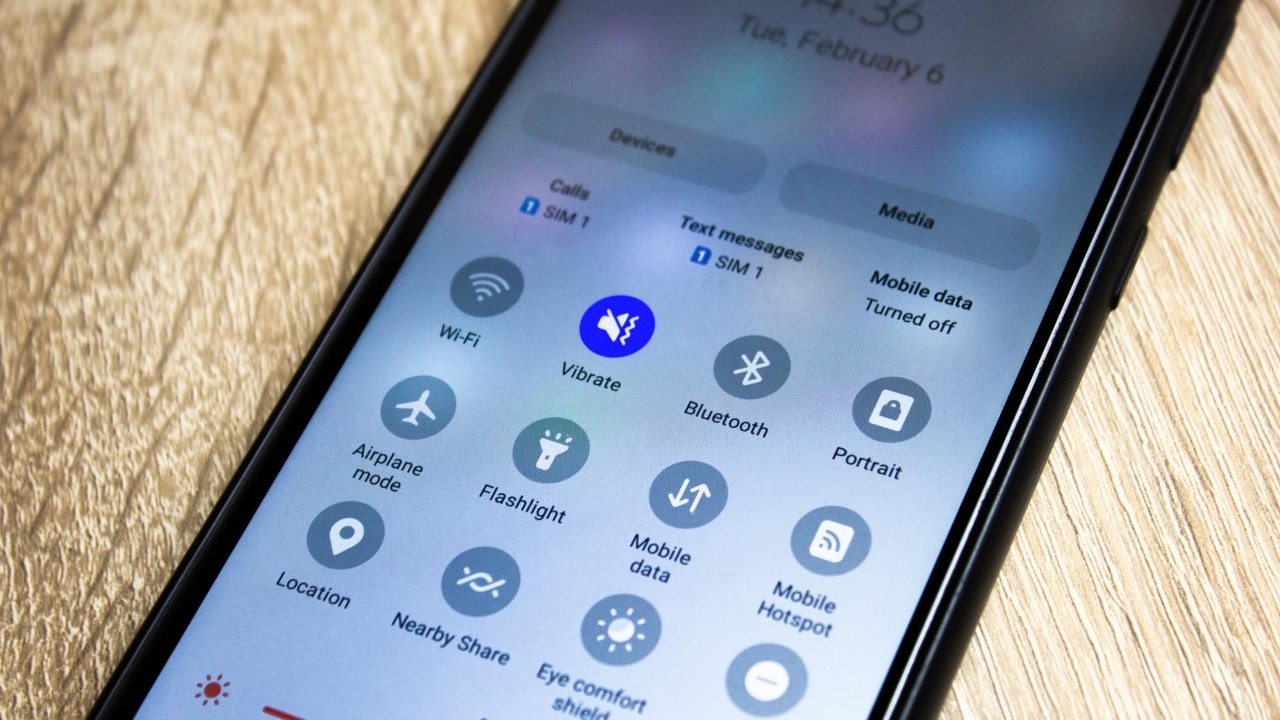

Android now has its own answer to Apple’s AirDrop, and it finally works across the iPhone divide as well as between laptops and tablets. At the center of this is Quick Share, a built in feature that lets you flick photos, videos and files to nearby devices without cables, logins or messaging apps. In plain terms, it turns your Android phone into a kind of local Wi Fi thumb drive that can beam content straight to the people and devices around you.
What “AirDrop style” sharing actually means
When people talk about an “AirDrop style” feature, they are really describing a simple idea: tap share, pick a nearby device, and the file appears there a few seconds later. Apple’s AirDrop does this by creating a direct, encrypted link between two devices, using Bluetooth to find them and Wi Fi to move the data, so photos and documents travel over a private connection instead of through a router or mobile network. Under the hood, AirDrop uses TLS encryption on a peer to peer Wi Fi link, and The Wi Fi radios on each device talk directly without needing an internet connection or Wi Fi access point.
Android’s Quick Share follows the same basic pattern, even if the branding and menus look different. Your phone scans for nearby devices, advertises itself, and then sets up a direct wireless connection so the file never has to leave the room. That is what makes these tools feel so effortless compared with emailing yourself a PDF or uploading a video to a chat app, and it is why they have become a default way to move media between phones, laptops and tablets in offices, classrooms and family group chats.
How Android’s Quick Share works in everyday language
On Android, Quick Share is built into the system share menu, so it shows up alongside options like Messages or Gmail when you tap the share icon on a photo or file. In simple terms, your phone briefly turns into a short range broadcaster, announcing that it has something to send and listening for nearby devices that are willing to receive it. Google’s own support explains that With Quick Share you can immediately send and receive files from nearby devices, and it notes that this feature was previously known as Nearby Share, so the underlying idea has been tested for several years.
Once you pick a recipient, the phones negotiate the best way to connect, typically combining Bluetooth for discovery with Wi Fi or a similar high speed link for the actual transfer. You do not have to think about protocols or channels, you just see a prompt on the other device asking whether to accept the file, and if the person taps yes the content lands in their gallery or downloads folder. Important privacy controls are built in, and the same support guidance that starts with the word Important explains that you can limit who can see your device, or temporarily hide it, so you are not constantly visible to strangers in a crowded place.
Android and iPhone finally talk to each other
The biggest shift is that Android’s AirDrop style sharing is no longer limited to Android to Android transfers. Google has confirmed that Android and iPhone users can now share files, starting with the Pixel 10 family, which means a Pixel owner can send a video directly into an iPhone’s AirDrop sheet without resorting to email or chat apps. The announcement frames this as a way to share moments between Android and iOS, and it explicitly ties the rollout to the Pixel 10 family as the first phones to support the feature.
Other reporting backs up how significant this is for people who live in mixed device households or group chats. One analysis notes that Android now works with Apple AirDrop for simple file sharing, again starting with the Pixel 10, and another explains that Android’s equivalent of AirDrop now lets users send files between Android devices and compatible iPhones so friends can quickly push photos, videos or files each other’s way. That second report spells out that Android Quick Share now works with Apple’s system, which is a rare example of the two mobile platforms agreeing on how something should work.
From Pixel 10 to Snapdragon phones: who gets it
Right now, the most advanced version of this cross platform sharing is tied to specific hardware, which is why the Pixel 10 name keeps coming up. Google’s own blog stresses that the ability for Android and iPhone users to share files starts with the Pixel 10 family, and a separate report describes how Android’s Quick Share now works directly with Apple’s AirDrop for seamless file transfers on those phones. That same coverage highlights that the feature is currently exclusive to Tensor G5 powered Pixel 10 models, which is why you will not see it yet on older Pixels or other brands.
The good news for everyone else is that this is not expected to stay a Pixel only trick. Chipmaker Qualcomm has confirmed that Quick Share’s new iPhone file transfer capability will expand to Snapdragon powered Android devices after its initial period exclusively on Tensor G5 powered Pixel 10 series phones. That means future flagships from brands that rely on Snapdragon chips, such as Samsung’s Galaxy S line or OnePlus devices, are in line to gain the same AirDrop compatible sharing, turning this from a Pixel perk into a broader Android standard.
Samsung’s spin: Quick Share with extra tricks
Long before Google unified its branding around Quick Share, Samsung had its own take on fast local sharing, and it still adds some twists that go beyond the basic AirDrop style exchange. The company describes how Quick Share makes file sharing easy and fast not only with nearby devices but also between far away ones via the cloud, and it highlights a feature called With Share to Contacts that lets you send content to people even when they are not physically next to you. That cloud option effectively turns Samsung’s system into a hybrid of AirDrop and a private file transfer service, which can be useful if you want to send a large video to a family member’s Galaxy tablet at home while you are still at work.
Samsung’s approach has also drawn praise from reviewers who argue it is more flexible than Apple’s version. One short video review by Jan points out that Samsung Quick Share is like AirDrop with more features, and that not enough people are talking about it, underscoring how quietly powerful these tools have become on modern Android phones. Because Samsung’s implementation can talk to its own laptops and even some Windows PCs, and because it layers cloud sharing on top of local transfers, it shows how Android manufacturers are using the same basic idea in slightly different ways to tie their ecosystems together.
Quick Share on Android, Windows and even iOS helpers
Google is also pushing Quick Share beyond phones so that moving files between your own devices feels less like juggling and more like passing a folder across a desk. The company’s consumer site pitches the feature with the line Work smarter, not harder, and urges people to stop emailing files to themselves or dealing with the Cloud just to get content from one device to another. In that description, Quick Share lets you transfer photos, videos and more between Android phones, tablets and Chromebooks, turning them into a loose but cooperative family of devices.
On the desktop side, Google now offers a dedicated client so you can Wirelessly share photos, documents and more between Android devices and Windows PCs by downloading the Quick Share for Windows App. That means you can drag a batch of RAW images from a Windows 11 laptop to a Pixel 10 without plugging in a cable, or send a PDF from your phone straight into your work desktop’s downloads folder. For people who still need to bridge Android and iOS in other ways, there are also third party tools like QuickDrop, which explains that You can open QuickDrop on an iPhone, tap on a device and choose one or multiple files from the Files app or Photos, then accept or decline the transfer, effectively acting as a bridge for people who do not yet have native AirDrop to Android support.
Privacy, safety and the “Everyone for 10 Minutes” rule
Any feature that lets strangers beam content to your screen needs guardrails, and both Apple and Google have had to refine their settings to keep things under control. On the iPhone side, one practical limitation of the new Android to AirDrop link is that the receiving device has to be set to a specific mode. As one guide explains, the only caveat is that the receiver’s iPhone needs to be set to Everyone for 10 Minutes, and If the phone is set to Contacts Only, this feature will not work yet. That small detail matters in real life, because it means you may have to coach a friend through changing their AirDrop setting before your Android phone can send them a video.
On the Android side, security specialists have been quick to spell out how to use the new cross platform sharing safely. One detailed explainer notes that Android ‘Quick Share’ Now Supports iOS ‘AirDrop’ and walks through how to use it securely, urging people to protect all their devices without slowing them down and to pay attention to who can see their phone when sharing between Android and iOS. The same piece stresses that you should keep your visibility limited to contacts or to a short time window in public spaces, and that you should be wary of accepting files from unknown senders, even if the underlying connection is encrypted.
Smarter controls and small quality of life upgrades
Beyond the headline feature of talking to AirDrop, Google has been quietly polishing the way Quick Share behaves in crowded environments. A recent update focuses on making it easier to share with people you do not have in your contacts, which is a common scenario at events, in classrooms or in co working spaces. One report notes that This can come in handy if you want to share a file with someone you do not have in your contacts, and it explains that instead of having your device fully show up for everyone, you can use a more controlled mode that still lets nearby people see you when you are actively sharing.
These tweaks may sound minor, but they address the real friction points that have held back local sharing in the past, such as devices not appearing when you need them or appearing too often when you do not. Another analysis frames the broader effort as part of a push for better compatibility between operating systems, quoting Google’s view that It’s just one more way the company is bringing the kind of cross platform support people are asking for, following earlier moves like making messaging and casting work more smoothly across different brands. In practice, that means fewer failed transfers, fewer awkward “did you get it yet” moments, and a better chance that Quick Share will be the first option people reach for instead of the last resort.
Why this matters for how we actually share things
For most people, the value of Android’s AirDrop style sharing will not be measured in protocol charts but in how often it quietly saves time. A night out where everyone wants the same set of photos becomes easier if the person with the best camera can send a full resolution batch directly to each friend’s phone, regardless of whether they use Android or iOS. One lifestyle focused piece on the new integration even imagines using Quick Share for a quick photo dump after a night out, and it notes that Android, Quick Share and Apple’s AirDrop now work together so that Pixel 10 owners can do exactly that without compressing everything through a messaging app.
In workplaces and schools, the same mechanics can replace USB sticks and email chains with a simple tap, especially as more Windows laptops gain native support for Quick Share. Because Android’s own site encourages people to Quick Share files instead of dealing with the Cloud, and because the companion Windows app makes it easy to move documents between phones and PCs, the feature is quietly becoming part of the everyday toolkit for students, freelancers and office workers. As more Snapdragon based phones pick up the AirDrop compatible version and as Samsung continues to push its own Quick Share with cloud extras, the idea of “just sending it over” without thinking about cables, platforms or apps is finally starting to live up to its name.
More from MorningOverview