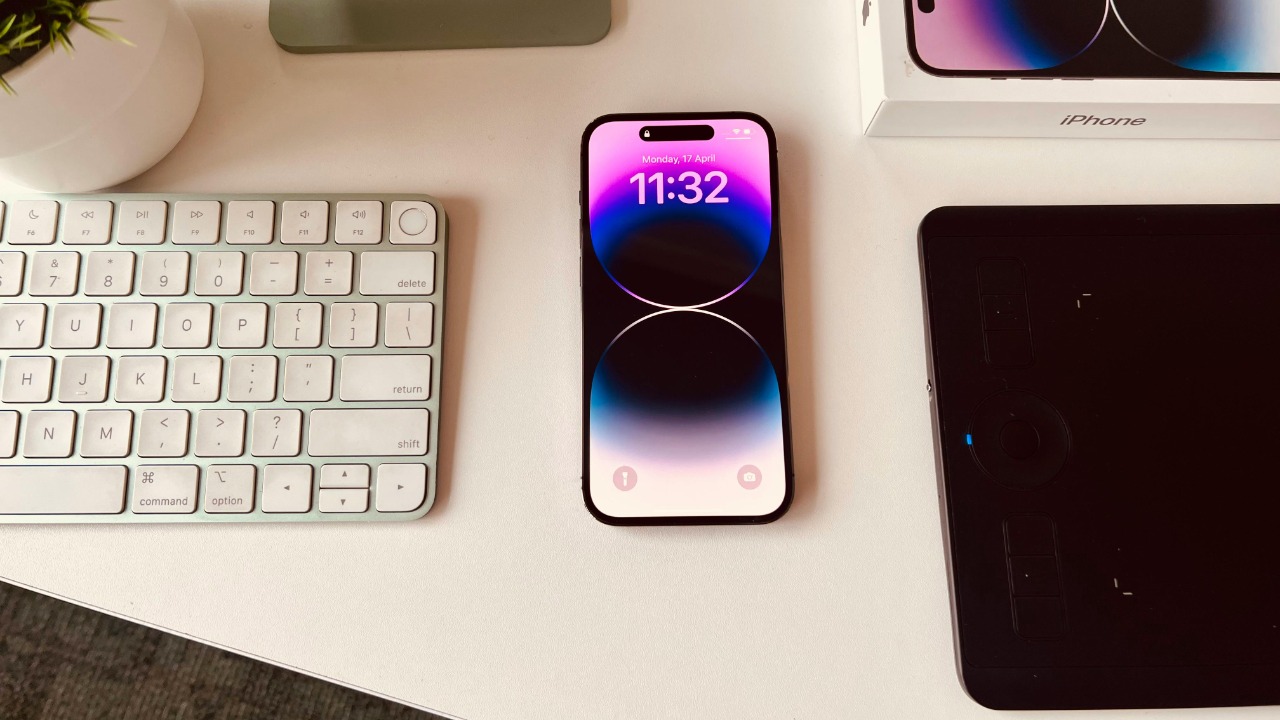

Apple’s latest test build, iOS 26.3 beta, is now live for adventurous iPhone owners who want to try new interoperability tricks before everyone else. The software leans into easier device switching, smarter cross-platform features, and subtle design polish, and you can install it at home in just a few steps if you are willing to live with pre-release quirks.
I am going to walk through how to get the iOS 26.3 public beta on your iPhone safely, then highlight three standout additions worth trying first, from streamlined transfers to Android to tighter wearable support and a more flexible lock screen.
What iOS 26.3 beta actually is and why it matters
iOS 26.3 is not a flashy full-number upgrade, but it is a meaningful mid-cycle release that builds on iOS 26 with a clear focus on interoperability and quality-of-life tweaks. Reporting on the first wave of the software notes that Apple released the first iOS 26.3 beta for iPhone users with an emphasis on how your phone talks to other platforms and accessories, rather than on headline-grabbing visual overhauls. That fits the broader arc of iOS 26, which has been about personalization, smarter defaults, and making the operating system feel less locked into a single ecosystem.
The build is still pre-release software, so it sits in the beta channel rather than the standard update path that most people see in Settings. Apple lists iOS 26.3 beta (23D5089e) alongside other in-progress tools like App Store Connect API 4.2 in its official developer releases, which is a reminder that this version is meant for testing and feedback, not guaranteed stability. If you install it, you are effectively volunteering your iPhone as a trial device for features that will later roll out to everyone on the stable channel.
How iOS 26.3 fits into Apple’s broader iPhone roadmap
To understand where 26.3 sits, it helps to look at how Apple has been pacing iOS updates over the last few cycles. Earlier in the iOS 26 era, the company pushed a series of developer betas, including an iOS 26 Developer Beta 7 that required users to enroll and then select the appropriate “Developer Beta” option in Settings, a process detailed in guidance that starts with the reminder that after you sign up for the program you will see that new toggle. That cadence of developer-first, then public testing, has become the standard way Apple hardens new features before they reach the general population.
The 26.3 beta also arrives in the context of Apple nudging users on older software to move forward. Coverage of the company’s current strategy notes that Apple and Google have been collaborating on cross-platform tools while Apple simultaneously pushes iPhone owners still on iOS 18 to upgrade to iOS 26. In that same context, reporting points out that “Meanwhile, iOS 26.3 beta testing continues with notable cross-platform features,” which underscores how this release is part of a broader push to make iPhones more capable when they live alongside Android phones and non-Apple wearables.
How to enroll your iPhone in the iOS 26.3 public beta
Getting onto the iOS 26.3 public beta starts with Apple’s own beta program, not with a random profile from the internet. The first step is to visit the official beta portal in a browser and sign in with the Apple ID that you use on your iPhone, which you can do by heading to Apple’s beta website. Once you are there, you enroll your device in the iOS track, agree to the terms, and confirm that you understand you are opting into pre-release software that may include bugs or app compatibility issues.
After your account is enrolled, the rest of the process happens on the phone itself. Guidance on installing the public build explains that you should open Settings, go to General, then Software Update, and choose the beta channel that corresponds to iOS 26.3, a flow that is summarized in instructions that describe how to install the public beta by selecting the iOS Public Beta option. Once you tap Download and Install, your iPhone will fetch the 26.3 package, verify it, and reboot into the new system, just as it would for a normal software update.
Developer beta vs public beta: which path you should take
There are two main ways to run iOS 26.3 early, and they are not created equal. The developer beta is aimed at app makers and power users who are comfortable with more frequent bugs and who may need to test compatibility for their own software. A walkthrough on installing earlier iOS 26 developer builds notes that the method is “100% official” and will work the moment iOS 46 drops, language that appears in a tutorial video that walks through how to get the developer profile set up once Apple opens the taps. That same approach applies to 26.3 developer builds, which typically arrive slightly ahead of the public beta and may include features that are still in flux.
For most people, the public beta is the safer route. It usually trails the developer version by a short window, which gives Apple time to catch the most serious bugs before millions of non-developers install it. A separate how-to on installing iOS 26 test software describes how to Download the Public Beta by enrolling, then following a straightforward “Downloading and install” process that is framed as “Simply” following the on-screen steps. That language reflects the reality that the public beta is designed to be approachable, even for people who have never installed pre-release software before, while still carrying the usual warnings about backups and potential instability.
Step-by-step: installing iOS 26.3 beta safely
Before you tap any beta toggle, it is worth taking a few minutes to prepare your iPhone so you can roll back if something goes wrong. The standard advice is to create a fresh encrypted backup, either in iCloud or via a Mac or PC, so that your messages, photos, and app data are safe if you decide to revert to the last stable version. Earlier guidance on iOS 26 testing emphasizes that you should complete a checklist “Before you get too excited and start downloading the iOS 26 developer beta,” a phrase that appears in instructions that walk through the prep work you should do Before installing any test build. The same logic applies to 26.3: a backup and a bit of patience can save you from a lot of frustration later.
Once you are backed up and enrolled, the actual installation is straightforward. A detailed walkthrough of the 26.3 public beta explains that you start by going to Apple’s beta site, then signing in with your Apple ID, enrolling your iPhone, and finally heading to Settings to pull the update, a flow that is summarized in a guide that begins with “Here’s a step-by-step guide on how to get the iOS 26.3 public beta on your iPhone” and then instructs you to Sig in and enroll. After the download completes, your iPhone will restart, and you will see the usual progress bar as 26.3 installs. When it boots back up, you can confirm the version in Settings under About, where the software version will list 26.3.
Feature 1: easier transfers between iPhone and Android
The headline feature in iOS 26.3 beta is a new way to move your data off an iPhone and onto an Android device without the maze of third-party tools that used to be required. Reporting on the update notes that the biggest change is an easy way to transfer your data from an iPhone to Android, framed explicitly as “Transfer from iPhone to Android” in the feature list for the beta. That description appears in coverage that highlights how the new option lives in Settings and is designed to make the process less intimidating for people who want to switch platforms, with the phrase Transfer from iPhone to Android used to describe the feature directly.
Another report on the same capability underscores that iOS 26.3 could now make it easy to transfer your iPhone data to an Android device, and that this option is available to Developers and public beta testers who install the new build. That coverage, which mentions that Developers and early adopters are already trying it, frames the feature as something the author personally might not use but acknowledges will be valuable for anyone “craving an Android.” The fact that Apple is building a smoother exit ramp out of the iPhone ecosystem is notable on its own, and it dovetails with the broader cross-platform push that runs through the rest of 26.3.
Feature 2: better support for EU wearables and cross-platform devices
iOS 26.3 also extends Apple’s interoperability story to wearables that do not carry an Apple logo. Reporting on the beta points out that the software adds easier transfers and EU wearable support, specifically calling out that the update improves the experience for Fitbit and Pixel Watch users who want their devices to play more nicely with an iPhone. That detail appears in coverage that explains how the new build helps Fitbit and Pixel Watch users in the European Union, where regulators have pushed for more open standards and less lock-in between phones and accessories.
This is not happening in a vacuum. A broader look at iOS 26.3’s feature set notes that the update “focuses a lot on interoperability between” Apple’s ecosystem and other platforms, a phrase that appears in analysis of the new 26.3 features so far. When you combine that with the cross-platform transfer tools and the collaboration between Apple and Google on shared standards, it is clear that 26.3 is part of a larger shift toward making the iPhone a better citizen in mixed-device households, especially in regions where regulators are watching closely.
Feature 3: personalization and the stretched lock screen clock
Beyond the big interoperability headlines, iOS 26.3 continues Apple’s recent emphasis on personalization and subtle design polish. One of the more visible examples is a stretched clock option on the lock screen, which lets you adjust the typography and layout of the time display so it better matches your wallpaper and widgets. Analysis of this change notes that Apple‘s focus with iOS 26 is clearly on personalization and polish, and that the stretched clock is a small but telling example of how the company is blending design flexibility with simple, intuitive gestures.
That same focus shows up in other parts of the system, from notification handling to how widgets respond to touch. A closer look at the 26.3 beta notes that Apple has slightly adjusted some interface elements and tightened up the way certain settings are grouped, changes that are mentioned in a guide that walks through what is new once you install the 26.3 beta. None of these tweaks will transform your iPhone overnight, but together they make the system feel more tailored and less rigid, especially if you care about how your lock screen and home screen look.
New Siri and intelligence features on the horizon
While iOS 26.3 itself is a point release, it arrives as Apple is preparing a larger shift in how Siri and on-device intelligence work. Reporting on the first 26.3 beta notes that it landed following the release of iOS 16.2 and that the new build arrives as the launch of a revamped Siri nears, with the coverage explicitly stating that “Following the release of iOS 16.2 on Friday, December 12, the first beta release of iOS 26.3” began rolling out. That sequence, which appears in a piece that includes a Table of Contents and references “Following the” earlier update, underscores that 26.3 is part of a longer runway toward more ambitious AI features.
Apple is not spelling out every Siri change inside 26.3, but the timing and the surrounding context make it clear that the company is using this beta cycle to iron out the plumbing for a smarter assistant that will arrive over the coming year. The same reporting that walks through how to Click Sign Up on the Apple Beta page and register with your Apple ID to get the 26.3 public beta also frames the release as a stepping stone toward that new Siri experience. If you install the beta now, you are effectively getting an early look at the infrastructure that will support those intelligence upgrades, even if the most dramatic changes are still ahead.
Who should install iOS 26.3 beta, and who should wait
Not everyone needs to rush into a beta, even one as focused and practical as 26.3. If your iPhone is your only phone, you rely on banking apps like Chase or Monzo every day, or you use your device for mission-critical work, the safer move is to wait for the final release. Analysis of the current rollout notes that iOS 26.3 public beta is now available and asks whether you have installed the iOS 26.3 beta yet, a framing that appears in coverage that highlights how iOS 26.3 public beta now available is drawing in early adopters. That same reporting, which credits Ryan Christoffel and notes “2 Comme” in the byline area, implicitly reminds readers that this is still a test build, not a finished product.
On the other hand, if you have a secondary iPhone, you are comfortable restoring from backups, or you specifically want to try the new transfer tools or EU wearable support, the 26.3 beta is a compelling preview. Another analysis of the release points out that iOS 26.3 is already in the hands of testers and that the update is refining cross-platform experiences as Apple and Google collaborate on shared standards, language that appears in the same context that mentions “Meanwhile, iOS 26.3 beta testing continues with notable cross-platform features” and that 26.3 continue refining the experience. If you fit that profile, installing the beta now gives you a head start on features that will shape how iPhones interact with the rest of your tech over the next year.
Where 26.3 goes from here
iOS 26.3 is still in motion, and the beta you install today will not be the last word on this release. Apple typically ships several beta iterations, each one smoothing out bugs, tweaking features, and sometimes adding small surprises that were not in the first build. The company’s own release notes, which list iOS 26.3 beta (23D5089e) alongside tools like App Store Connect API 4.2 and provide links to Download and View the latest changes, are a good reminder that this is a living project rather than a static product.
If you want to keep up with how 26.3 evolves, it is worth watching both Apple’s official beta pages and the community of testers who document each new build. Video walkthroughs, including those that show how to install earlier iOS 26 developer betas and that emphasize the process is “100% official” once Jun tutorials go live, will likely continue for 26.3 as new features appear. For now, the core story is clear: iOS 26.3 beta is about making your iPhone play more nicely with Android phones and non-Apple wearables, while giving you a bit more control over how your device looks and feels, and if you are willing to live with a few rough edges, you can try it today.
More from MorningOverview