
Google is turning a once niche party trick into a mainstream feature, letting ordinary headphones behave like real-time translation earbuds. Instead of buying a single-purpose gadget, anyone with a compatible phone and a pair of wired or wireless cans can now tap into live speech translation that runs in the background of everyday conversations.
What started as a Pixel-only experiment is rapidly becoming a cross-platform capability that touches Android, iOS, and even rival accessories like AirPods. I see that shift as more than a clever demo: it is a sign that translation is being treated as a core layer of the operating system, not a separate app you fumble for when you are already lost.
From Pixel Buds experiment to platform feature
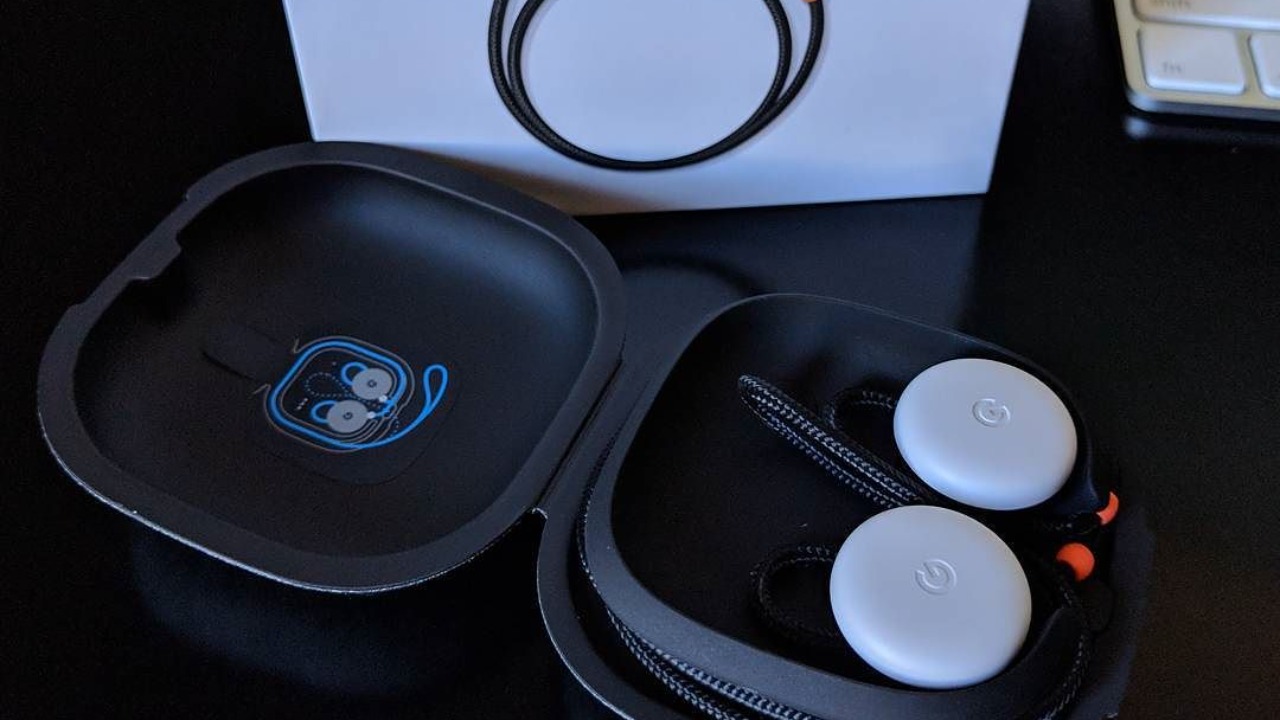
When Google first showed off real-time translation, it tied the experience tightly to its own hardware, positioning the original Pixel Buds as a kind of futuristic travel companion. Those earbuds were marketed as a way to hear another language in your own tongue almost instantly, and They were available for pre-order for $159, a clear signal that live translation was being treated as a premium perk. That early framing made sense for a company trying to sell hardware, but it also limited who could realistically try the feature outside tech circles.
Over time, the logic flipped. Instead of using translation to sell earbuds, Google began using earbuds to showcase what its language models could do at scale. Support pages were quietly updated to confirm that the same Google Translate feature that once required Pixel Buds now works with all Assistant-optimized headphones paired to compatible Android phones, a shift that However, Google framed as an expansion beyond a single product line. I read that as a strategic move: by decoupling translation from one set of earbuds, the company turned it into a reason to stay inside the Android ecosystem instead.
Google Translate now speaks through any headphones
The real inflection point arrived when Google Translate’s live speech mode stopped caring what was in your ears. Instead of restricting real-time audio translation to a narrow list of accessories, the company opened the door so that any brand of headphones could be used as the listening and playback device. Reporting on the rollout makes it clear that Google Translate now brings real-time speech translations to any headphones, a sharp break from the days when Live support was limited to Pixel Buds.
On the Android side, the feature is wired directly into the system’s Live translate layer, which can route incoming speech through the microphone, process it in the cloud or on-device, and then send the translated audio back out to whatever is connected. Official guidance spells out that you can Use Live translate with headphones by connecting any brand, as long as the phone is on the latest app version and the language is in the List of supported languages. That combination of hardware agnosticism and system-level integration is what finally makes the “any headphones” promise feel real rather than aspirational.
Gemini and the leap to 70 languages
Under the hood, the biggest change is not the headphones at all, it is the language model doing the heavy lifting. Google’s Gemini family is now powering much of the translation stack, and that shift shows up most clearly in the sheer breadth of languages that can be handled in real time. One recent update spells out that Your earbuds can translate 70 languages in real-time now, thanks to Gemini, a figure that would have sounded like science fiction when the first Pixel Buds demo hit the stage.
That scale matters because translation is only as useful as the languages it covers. A system that handles English, Spanish, and French is nice for tourists, but a system that can juggle 70 tongues in live conversation starts to look like infrastructure for global business, migration, and remote work. One newsletter that tracks AI tools framed it in exactly those terms, noting that Good morning, AI enthusiasts was the greeting for an edition that described how Gemini turns headphones into translators and even teased future use for live voice agents. I see that as a hint that what we are watching now is only the first layer of a broader conversational platform.
How Live translate actually works in your ears
From a user’s perspective, the magic of live translation is that it feels like a natural conversation, even though there is a complex pipeline running in the background. On Android, the flow starts when you enable the system’s translation mode and plug in or pair your headphones. The phone listens through its microphones, detects the spoken language, converts it to text, runs that text through a translation model, and then speaks the result back into your ears in your chosen language. The official support documentation walks through this step by step, explaining that to List of supported languages you simply need to ensure you are on the latest app version and have Live enabled with your headphones connected.
In practice, that means you can sit across from someone at a café, hand them your phone, and let the system alternate between listening and speaking in each language. The person you are talking to hears your words in their own tongue, while you hear theirs in yours, all through the same pair of earbuds. A beta rollout described by Xinhua captured the ambition neatly, quoting a Google product leader in SAN FRANCISCO saying that whether you are trying to order food or negotiate a contract, the goal is to make it feel like you are speaking the same language, a sentiment reflected in the Dec report that highlighted how Google framed the feature for everyday use.
AirPods, Live Translation, and the cross-platform race
Google’s move to make translation work with any headphones lands in a world where Apple is building its own version of the same idea. On iPhone, Live Translation is now a first-class feature for in-person conversations when you are wearing compatible AirPods, and the workflow is tuned to Apple’s hardware. To start Live Translation, you can Use your AirPods and Press and hold the stem on both AirPods at the same time, or ask Siri to start Live Translation, which turns the earbuds into a two-way interpreter without ever touching the phone screen.
What is striking is how quickly Google has embraced that cross-platform reality instead of pretending AirPods do not exist. On Android, Google’s own live translation feature now supports third-party earbuds, including Apple’s, so that someone with an Android phone and AirPods can still tap into the same pipeline. A hands-on account described how the writer Tested Google New Live Translation With AirPods, and It Actually Works Well, underscoring that Google is willing to let its software shine on a rival’s hardware if it means more people experience the feature.
What “any headphones” really means in practice
When Google says it is turning any headphones into real-time translation devices, there are still some fine print details that matter. On Android, the requirement is that the headphones can pass audio cleanly and that the phone itself supports the Live translate stack, which is tied to newer versions of the operating system and the latest Google Translate app. A support page that was quietly updated spells out that the feature is now available for all Assistant-optimized headphones paired with compatible Android phones, not just Pixel Buds, a shift captured in the line that Assistant headphones can now tap into the same translation pipeline.
On the iOS side, Apple’s own Live Translation feature is more tightly scoped, listing specific models like AirPods 4 (ANC), AirPods Pro 2, and AirPods Pro 3, and requiring an iPhone 15 Pro or newer to unlock the full experience. A community discussion about Google’s rollout highlighted that You can use Live Translation if you have those ANC and Pro models, and that the system is designed to bridge language barriers in person by letting someone hear what you said in their language. In other words, “any headphones” is closest to literal on Android, while on iOS the most seamless version still assumes you are inside Apple’s own hardware garden.
Real-world tests: from cafés to conference halls
Lab demos are one thing, but the real test of live translation is whether it holds up in messy, noisy environments where people actually talk. Early hands-on reports suggest that Google’s system is already good enough to handle everyday scenarios like ordering food, asking for directions, or chatting with a rideshare driver, even if it still stumbles on slang or heavy accents. One tester described how they were able to carry on a conversation in a foreign language using AirPods connected to an Android phone, noting that they no longer had to pass the phone back and forth or stare at a screen to It Actually Works Well enough for casual use.
Enterprise and education scenarios are starting to emerge as well. In a classroom, a teacher can speak in one language while students listen in another through their own earbuds, each getting a personalized audio feed. In a conference hall, attendees can choose their preferred language channel without the need for dedicated translation booths or rented headsets. A newsletter that framed Gemini as a tool for live voice agents suggested that companies could eventually run customer support lines where callers speak any of the 70 supported languages and agents hear everything in their own, a vision hinted at when it noted that Gemini could be put to Perform an instant attention audit on your webpage and then be repurposed for conversational tasks. I see those experiments as early signs that translation earbuds are moving from novelty to infrastructure.
The quiet beta and Google’s broader AI strategy
One of the more revealing aspects of this rollout is how quietly Google has handled it. Instead of a splashy keynote, the company has been seeding the feature through support pages, beta flags, and incremental updates to Google Translate and Android’s system UI. A report from SAN FRANCISCO described how Google announced a beta version of real-time headphone translation and quoted executives talking about everyday scenarios like ordering food or navigating a new city, a framing captured in the Google statement that emphasized making people feel like they are speaking the same language.
That low-key approach fits with a broader pattern in how the company is rolling out Gemini-powered features. Instead of branding everything with a new name, Google is threading Gemini into existing products like Translate, Assistant, and Android’s Live translate layer so that users simply notice things getting faster and more capable. A newsletter that greeted readers with PLUS and Good morning, AI enthusiasts described how Google just quietly shipped a feature that turns headphones into translators and hinted at future uses for live voice agents, noting that the same models could be used to audit attention on a webpage before being repurposed for real-time conversation. I read that as a sign that translation is both a showcase and a testbed for the company’s larger AI ambitions.
What comes next for translation earbuds
As impressive as the current feature set is, it still feels like the first draft of what translation earbuds will eventually become. Latency can be trimmed further, especially for rapid back-and-forth exchanges, and the models will need to get better at handling code-switching, regional dialects, and domain-specific jargon. The fact that Gemini already supports 70 languages in real time suggests that the next frontier is depth rather than breadth, with more nuanced handling of tone, politeness levels, and cultural context.
Hardware will evolve alongside the software. Noise cancellation, microphone arrays, and low-latency Bluetooth stacks all affect how natural a translated conversation feels, which is why Apple’s list of supported AirPods models calls out ANC and Pro variants and why Google still highlights Assistant-optimized headphones in its own documentation. A community thread that noted you can use Live Translation with AirPods 4 (ANC), AirPods Pro 2, or AirPods Pro 3 and an iPhone 15 Pro or newer underscored how tightly some of these experiences are tied to specific devices, even as Google works to make its own system more agnostic. As those hardware constraints loosen and the software keeps improving, the idea that any pair of headphones can double as a real-time translator will feel less like a headline and more like an expectation baked into every new phone.
More from MorningOverview