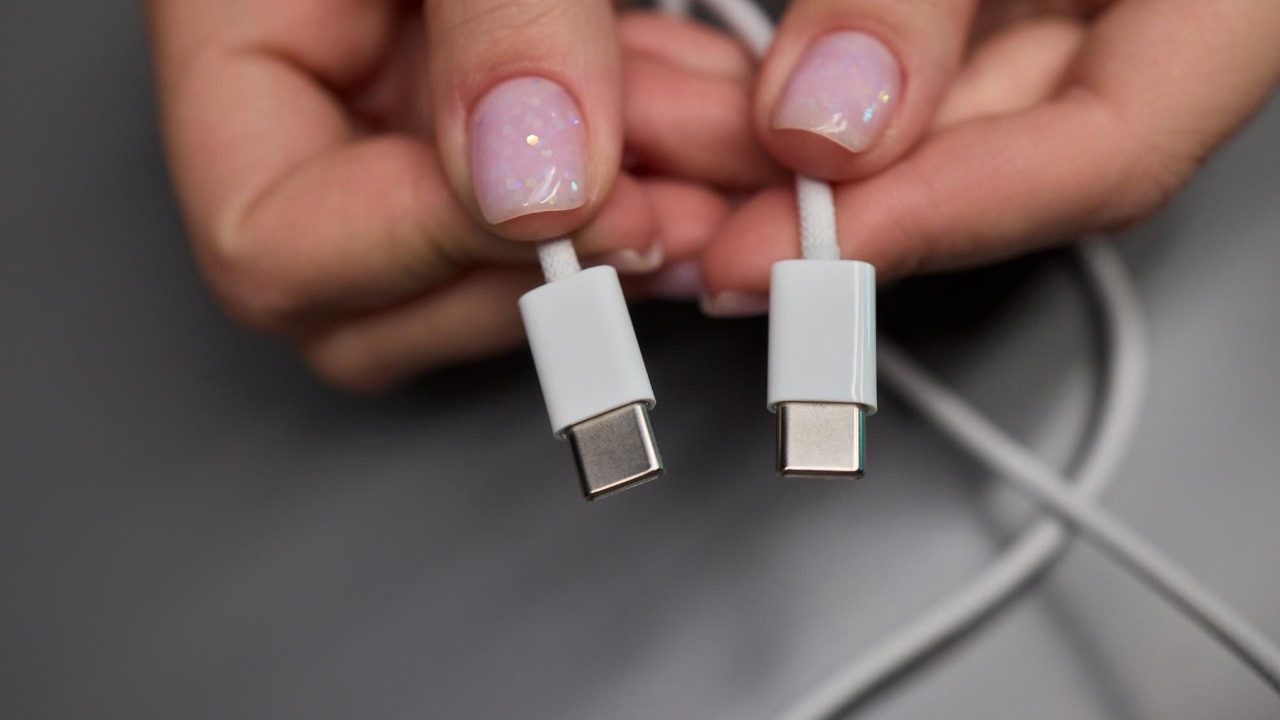

From flagship phones to budget laptops and even handheld gaming consoles, the same small oval port now stares back at you from almost every new gadget. The shift to USB-C is not a passing fad but the result of a deliberate push by the tech industry to converge on a single connector for power, data, and displays. I see that shift reshaping how we buy accessories, how long we keep devices, and how much electronic waste we generate.
What looks like a simple port hides a complex story of engineering trade-offs, industry politics, and consumer frustration with drawers full of incompatible cables. Understanding why USB-C took over helps explain why your next phone, laptop, camera, and even car will likely rely on the same plug, and why the older tangle of USB-A, micro USB, proprietary bricks, and video ports is finally fading into history.
The long road from USB-A to a “one port” world
Before USB-C, the Universal Serial Bus was already the default way to connect peripherals, but it was fragmented into a confusing alphabet of shapes and speeds. The original rectangular USB-A plug dominated PCs, while USB-B, mini USB, and micro USB sprouted on printers, cameras, and phones, each with its own cable and orientation quirks. That sprawl made sense when devices had very different power and data needs, yet it left users juggling multiple standards that all claimed to be part of the same USB family.
As gadgets shrank and mobile computing took over, the old connectors became a liability rather than a feature. The industry needed something small enough for a phone, robust enough for a laptop, and flexible enough to replace legacy ports like HDMI and VGA. The USB Implementers Forum, formally known as The USB Implementers Forum, is a consortium of over 1,000 companies that promotes and supports USB technology, and it set out to design a connector that could unify this mess. That effort produced USB-C, a port meant to be small, reversible, and capable of handling everything from keyboard input to 4K video and high-wattage charging through a single cable.
What makes USB-C physically different
The first thing I notice when I plug in a USB-C cable is that the orientation problem is gone. Unlike USB-A, which only fits one way, the USB-C connector is fully reversible, so it works regardless of how you flip it. That small ergonomic change matters because it reduces wear on ports and cables and makes it easier to design slim devices that do not need bulky rectangular cutouts, a point that underpins many explanations of What Is USB in modern hardware.
Under the shell, USB-C is not just a new shape but a denser pin layout that can carry more power and more data lanes at once. That is why the same port can serve as a basic charging jack on a budget Android phone and as a full Thunderbolt-style connector on a high-end workstation. Technical explainers describe USB-C as an industry-standard connector for transmitting both data and power on a single cable, and they emphasize that the physical plug is separate from protocol versions like USB 2.0, USB 3.2, or USB4 that determine speed and features. That separation is part of what makes the connector so flexible, but it also explains why not every USB-C port behaves the same way in practice.
Speed, power, and the alphabet soup of USB versions
One reason USB-C has become so pervasive is that it can ride on top of multiple generations of USB performance standards. The Universal Serial Bus has evolved from slow peripheral links to high-bandwidth pipelines, and the connector had to keep up. Technical breakdowns of USB C and USB 3.1, 3.2 explain how the same Type-C shell can host USB 3.1, USB 3.2, USB4, and USB4 V2, each step increasing throughput and capabilities while preserving backward compatibility with older devices and cables.
Power delivery has followed a similar trajectory. Early USB ports were designed to trickle power to keyboards and mice, not to charge laptops or power monitors. With USB-C and modern USB Power Delivery, that ceiling has risen dramatically, allowing a single cable to run a notebook, a dock, and external storage at once. Overviews of what benefits USB-C brings highlight that the connector supports high power levels suitable for office equipment, which is why you can now see thin laptops powered entirely through a Type-C port instead of a proprietary barrel jack.
Why manufacturers embraced USB-C so quickly
From a manufacturer’s perspective, USB-C solves several headaches at once. It lets phone makers, laptop brands, and accessory companies standardize on a single port across product lines, which simplifies design and reduces the number of different connectors they need to source and support. Analyses of why Why USB Is Becoming the New Standard for All Devices point out that this consolidation cuts costs and streamlines production, especially as more devices rely on fast charging and high-speed data transfer.
There is also a marketing advantage in promising that a single cable can do it all. When a laptop maker can advertise that its USB-C port handles charging, external displays, and storage, it can drop legacy connectors and slim down the chassis. Commentaries on Why USB is the Future of Laptop Charging argue that this shift has already reshaped notebook design, with ultrabooks and 2-in-1s leaning on USB-C for both power and connectivity. That trend is visible in mainstream models from Dell’s XPS line to Apple’s MacBook Air, which now rely heavily on Type-C ports even when they retain a few proprietary or legacy options.
How USB-C changes everyday charging and accessories
For consumers, the most tangible impact of USB-C is the ability to share chargers and cables across devices that used to require their own bricks. I can now top up a Nintendo Switch, a Samsung Galaxy phone, and a Lenovo ThinkPad from the same multiport charger, something that would have been impossible in the era of micro USB phones and barrel-plug laptops. Guides that explain What USB-C is emphasize that it is a type of connector that is both compact and capable, which makes it a convenient choice for users who want to travel with fewer cables.
This consolidation also affects how we buy accessories. Multiport hubs, docks, and monitors increasingly assume that your primary connection is USB-C, and they use that single cable to deliver power, video, and data. That is a direct result of the connector’s ability to carry alternate modes like DisplayPort alongside standard USB traffic. As more devices adopt this approach, the market for proprietary chargers and single-purpose cables shrinks, which in turn nudges even reluctant manufacturers toward the same standard.
USB-C versus Lightning and other proprietary ports
The rise of USB-C has also sharpened the contrast with proprietary connectors, especially Apple’s Lightning port on older iPhones and some accessories. Lightning is smaller than USB-C, but it is limited in power and data capabilities compared with the latest USB standards. Comparisons of Lightning vs. USB note that USB-C is larger but Still Reversible, and they argue that USB-C is better positioned to handle fast charging and high-speed data across a wide range of devices.
That technical gap has policy implications, as regulators and industry groups push for common charging standards to reduce e-waste and consumer confusion. Analyses of why USB-C is everywhere point to the environmental argument that a single charging standard can cut down on discarded cables and chargers. As USB-C becomes the default on phones, tablets, and laptops, proprietary ports look increasingly out of step with both technical trends and regulatory expectations.
The role of standards bodies and the USB ecosystem
Behind the scenes, the success of USB-C depends on a sprawling ecosystem of companies that agree to implement the same specifications. The USB Implementers Forum coordinates that work, publishing standards and certification programs that define how connectors, cables, and ports should behave. Technical explainers on USB benefits and official documentation from the USB-IF show how the group steers everything from power delivery profiles to alternate display modes, ensuring that a USB-C charger from one brand can safely power a device from another.
That coordination is not perfect, and it can leave users confused about which cables support which features, but it is still a major improvement over the era of vendor-specific connectors. The official USB site lays out the specifications and compliance programs that manufacturers must follow if they want to use the USB logo, and it highlights how the standard has expanded from simple data links to a universal interface for power, audio, and video. In practice, that means a USB-C port on a laptop can replace a tangle of older ports like HDMI, DisplayPort, and VGA, provided both ends of the connection support the right modes.
How USB-C compares with older USB types
To understand why USB-C has become the default, it helps to compare it directly with USB-A and USB-B. USB-A is still common on desktop PCs and older accessories, but its size and one-way orientation make it a poor fit for slim devices and blind plugging. USB-B and its mini and micro variants were designed for printers and early mobile devices, yet they lack the power and versatility that modern gadgets demand. Overviews that ask What Difference exists between USB-C, USB-B, and USB-A explain that USB-C is now featured in most modern devices because it can replace multiple older ports at once.
There are trade-offs. Some users still prefer the robustness of full-size USB-A for flash drives and dongles, and not every USB-C cable supports video or high-wattage charging. Guides that ask Are There Any Downsides to USB-C? point out that the flexibility of the standard can create confusion, especially when cheaper cables cut corners. Even so, the direction of travel is clear: as more devices adopt USB-C, the older connectors are gradually relegated to legacy support and adapters.
USB-C as a laptop and desktop workhorse
On laptops and desktops, USB-C is not just a charging port but a backbone for entire workstations. A single cable from a dock can now power a notebook, drive multiple monitors, and connect storage and networking, something that used to require a dedicated docking connector or a stack of separate cables. Analyses of Future of Laptop Charging argue that this capability is why USB-C has become central to modern notebook design, especially in offices that want clean desks and flexible hot-desking setups.
Desktop PCs are following a similar path, with front-panel USB-C ports and rear Type-C connectors that support high-speed peripherals and VR headsets. Technical explainers on Explained USB standards show how USB4 and USB4 V2 over Type-C can rival or replace older interfaces like PCIe-based external enclosures, giving desktops and workstations a more modular, cable-based expansion path. That shift blurs the line between mobile and desktop connectivity, since the same USB-C dock can often serve both a laptop and a tower PC.
Why USB-C is likely to stick around
Every connector standard eventually gives way to something new, but USB-C is built to last longer than most. It is already flexible enough to carry faster protocols like USB4 V2 without changing the physical plug, and it can scale to higher power levels as chargers and devices evolve. Commentaries that ask What Makes USB Different argue that this adaptability is why USB-C is here to stay, at least for the foreseeable future.
Accessory makers are betting on that stability. Guides that describe What Is USB in the context of chargers highlight how quickly electronics featuring USB-C connectivity have proliferated, from power banks to wall adapters and car chargers. As that ecosystem grows, the incentive for device makers to stick with the same connector only increases, because switching away would strand users with incompatible accessories and undermine the promise of a universal cable.
How USB-C reshapes the way we think about ports
USB-C is more than a new plug, it is a shift in how we think about ports altogether. Instead of a laptop bristling with dedicated connectors for video, power, and data, we now expect a handful of identical-looking USB-C jacks that can be configured in software and firmware to handle whatever the user needs. Technical histories that offer a Brief History of USB show how far the standard has come from its origins as a simple serial bus, and how USB-C completes that evolution into a general-purpose interface for almost everything.
That abstraction has practical consequences. It makes it easier for manufacturers to design minimalist hardware, but it also puts more pressure on clear labeling and documentation so users know which port supports which features. Guides that explain Why USB Is Becoming the New Standard for All Devices stress that education is part of the transition, since consumers need to understand that not all USB-C ports are equal even if they look the same. As that understanding spreads, the promise of a single, shared connector for phones, laptops, and everything in between comes closer to being fully realized.
More from MorningOverview